

Choose your edition
The CreekPOS manual
Everything the program and CreekPOS Online can do, explained step by step with the real screens: from installing on the first day to the VAT report at the end of the quarter.
Written for the CreekPOS program 5.7.3 and CreekPOS Online. The screenshots show two demo shops.

Where to start
A new shop
Choose an edition, install, and get your products in.
At the counter
The everyday work of a cashier.
Running the shop
For the owner and the manager.
Contents
Sixteen chapters. Each one stands on its own: open the one you need.
-
 Chapter 1Getting started
Choose between the program on your PC and CreekPOS Online, install CreekPOS on Windows, and get through the first start: the manager account, the shop type, the catalogue and the language.
-
 Chapter 2Trials, packages and activation
The 7-day trial of the program and the 14-day trial of CreekPOS Online, the four packages, the machine code (CP-…), activation keys, extension codes and moving a licence to a new PC.
-
 Chapter 3Selling
The sales screen from top to bottom: finding products, weighed items, sizes and variants, discounts and promotions, customers and credit, cash, card and split payments, receipts, returns, voids and shifts.
-
 Chapter 4Tables, the kitchen and splitting the bill
For cafés and restaurants: holding orders on tables, takeaway, moving and merging tables, splitting a bill by items or in parts, the kitchen screen, kitchen tickets and the service charge.
-
 Chapter 5Products and the UAE catalogue
Adding and editing products, second names in another language, categories, the UAE catalogue, barcodes and labels, scale labels, wholesale price levels, variants, sizes and add-ons, and importing from Excel.
-
 Chapter 6Stock
Receiving deliveries, packs and purchase orders, lots and expiry dates (first expiring, first out), running low, the stock-take, waste, recipes and prepared items, food cost, and transfers between branches.
-
 Chapter 7Customers, credit and suppliers
The clients list, selling on credit, recording payments and printing statements; suppliers, their deliveries, supplier invoices and payments; and expenses for the net profit.
-
 Chapter 8Loyalty points and promotions
Setting up loyalty points (earning, value, minimum, expiry, welcome points), using them at the till, adjusting a balance and the loyalty report; then building promotions the till applies by itself.
-
 Chapter 9Reports, the daily close and VAT
Sales by product, day, hour and category, profit without VAT, the receipts list, the shift close with its Z report, the Tax collected (VAT) report for your return, expired stock sold, and exporting for the accountant.
-
 Chapter 10Users and rights
Manager and cashier accounts, the rights you can give a cashier, the discount limit, manager approval with a password or a card, login cards, and the team on CreekPOS Online.
-
 Chapter 11Settings
The shop's name and logo, VAT 5 % and the TRN, the receipt, the look and the language, every feature switch, and where each setting lives on the program and on CreekPOS Online.
-
 Chapter 12Devices
Receipt printers (80 and 58 mm), the cash drawer, barcode scanners, scales, the customer display and pole displays, the kitchen screen, label printers and the Tests tab.
-
 Chapter 13CreekPOS Online
Signing up, the getting-started checklist, connecting tills (the till app for Windows, Mac and Linux, or the Windows program), selling offline, the Today dashboard, branches, the online menu, shop and table QR ordering, plans, billing and LAUNCH25, and your account.
-
 Chapter 14Backups, restore and moving
Backing up to a USB stick, the automatic daily backup, restoring all or part of a backup, moving to a new PC, and moving a shop from the program to CreekPOS Online.
-
 Chapter 15Keyboard shortcuts
Every key of the sales screen, the sign-in, the lists and the kitchen screen. Press F1 on any screen of the program to see its keys.
-
 Chapter 16Troubleshooting and support
What to do when the printer, drawer, scanner, scale, licence or internet does not behave, the phone view, sending diagnostics, the remote support session, and how to reach us.
-
 Chapter 17Owner alerts and Ask your shop
Switching on owner alerts, choosing the events and amounts, quiet hours and the digest, reviewing and exporting alerts, and asking your shop questions in plain words in the back office or in Telegram.
-
 Chapter 18Menu boards and the order screen
Switching on display screens, pairing a TV with its 8-digit code, what a menu board and the Preparing / Ready order screen show, and which TVs and sticks to use.
-
 Chapter 19Bring your data from another system
Importing products, customers, suppliers, opening balances and opening stock from Excel or CSV, checking the column guess and the dry run, and undoing an import within 30 days.
-
 Chapter 20Job orders for laundries, tailors and repairs
Switching on job orders with a template, taking a job with a deposit and printing its ticket and tags, the board and its steps, telling the customer, collecting, and the job orders report.
-
 Chapter 21Smart reorder and expiry control
Switching on smart reorder and expiry control, supplier terms, the "what to buy today" list and its purchase orders, the near-expiry board, markdowns, expired lots at the till, returns, write-offs and the waste report.
-
 Chapter 22Sell by weight and volume
Templates for roasteries, spice shops, sweets, butchers and perfume shops; units such as the gram, ml and tola; selling by weight, by money or by pieces; tare; scale labels; custom blends; roast and pack batches.
-
 Chapter 23Staff and HR
Clock in and out with a PIN, timesheets, commission and the staff ledger; then HR - employee files, documents with expiry reminders, leave, monthly payroll, payslips, the UAE WPS salary file and the end-of-service estimate.
-
 Chapter 24Credit book, instalments and the stamp card
The credit book with reminders and statement links, selling on instalments and taking deposits, and the stamp card on the customer's phone, in CreekPOS Online.
-
 Chapter 25Invoice from a photo (AI, in pilot)
Reading a supplier's invoice from a photo with AI - in pilot, ask us to switch it on - the agreement in Settings, the review screen and its colours, and confirming the stock receipt.
-
 Chapter 26Books: accounting and invoicing
Switching Books on and setting it up, till sales posted for you, quotes and invoices, supplier bills and expenses, bank statements, the VAT return figures, your accountant, the month close and the reports.
-
 Chapter 27Bookings: appointments and reservations
Switching Bookings on, services and team, your booking page, the calendar, checking a visit out at the till, walk-ins, reminders, table reservations, deposits and packages, and the reports.
-
 Chapter 28HR: settings, attendance devices and payroll
The HR settings, employee files, documents, leave, the roster and clock-in; fingerprint and face terminals by push, LAN bridge or file; then timesheets, payroll, the WPS salary file, the gratuity estimate, self-service links and HR in the desktop program.
-
 Chapter 29Connect your AI (ChatGPT, Claude and other assistants)
Switching AI access on, making a read-only key, connecting the Claude desktop app, Claude on the web, ChatGPT or any MCP client, what to ask, the activity log and the safety rules.
-
 Chapter 30Troubleshooting: when something goes wrong
The "What happened?" link on every error message, the troubleshooting guide and its search, what to do with any error, errors while offline, and what to tell support.
-
 Chapter 31Quick search (Ctrl+K)
Opening quick search with Ctrl+K or the Search button, what it finds (pages, settings, receipts, customers, products, invoices and bookings), the keys, and tips.
-
 Chapter 32Front desk (WhatsApp assistant)
The AI front desk on your own WhatsApp Business number - what you need, connecting it, the modes, your answers, what customers ask and the questions it could not answer, customer memory, goals and team cases, the reply checks, orders and bookings, voice notes and pictures, the inbox and hand-off, the 24-hour rule, usage, the daily budget and privacy.
- What it is
- What you need
- Connecting WhatsApp
- Who answers: the modes
- Name, tone and your answers
- What customers ask: your shop's knowledge
- Customer memory
- Goals and team cases
- How replies are checked
- Orders and bookings
- Voice notes and pictures
- Hand-off and the inbox
- The 24-hour rule and order updates
- Stop words
- Usage and daily limits
- Privacy
-
 Chapter 33The receipt page, reviews and returns
The Google review QR on every sale receipt, the customer's receipt page and how they get its link, ordering the same again, and return requests and questions from the receipt page with the Customer requests inbox on the till.
-
 Chapter 34Stock alerts: cost rises, slow stock and price lists
The cost-rise warning when you receive and the price that keeps your margin, the settings, the margin floor and squeezed margins, slow and dead stock and what to do about it, moving slow stock to another branch, supplier price lists by photo, and the desktop's Slow stock tab.
-
 Chapter 35Your AI: answers in Ask your shop and Your week
How Ask your shop passes the questions its own list does not read to your AI, the "Based on" line, the free questions a day and why an answer may not come, and Your week, the Monday voice note about last week.
-
 Chapter 36Try with sample data
Filling a new shop with a realistic sample of its own kind in one click, what the sample holds, what to try with it, and taking exactly that sample out again.
-
 Chapter 37The till on an Android tablet
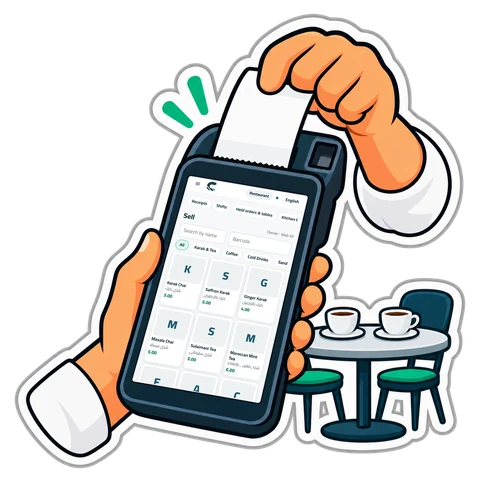
CreekPOS Till for Android tablets and handhelds: installing it, connecting it to your shop, selling offline, receipt printers, the camera as a barcode scanner, and updates.
-
 Chapter 38Modules: switch the suite on à la carte
Settings → Modules - one page of cards for every part of CreekPOS Online, what each includes and how it is priced, switching a module on and off, what it needs first, add-ons and their prices, and what changes in the menus.
-
 Chapter 39Procurement: requests, approvals, quotes and the three-way match
Purchase requests and who approves them, monthly budgets, orders from a request, quotes from several suppliers by link, receiving with a delivery note, the supplier invoice and the three-way match, invoices to check, supplier ageing and scorecards, alerts and rights.
- What it is
- Switching it on
- Rights
- Purchase requests
- Approvals
- Monthly budgets
- From a request to orders
- Quotes from several suppliers
- Receiving with a delivery note
- The supplier invoice and the three-way match
- Invoices to check
- Supplier ageing and scorecards
- Alerts, the daily summary and Ask your shop
- On the desktop program (5.7.0, Desktop Gold)
-
 Chapter 40Warehouses: locations, transfers, batches and counts
Stock locations in a branch (shop floor, back store, warehouse, van, consignment), bins and min / max, transfers that travel until they are received, picking and receiving by scanning, settling differences, batches and serial numbers with recall, counts per location, valuation and replenishment.
-
 Chapter 41Groups of companies: one view of several shops
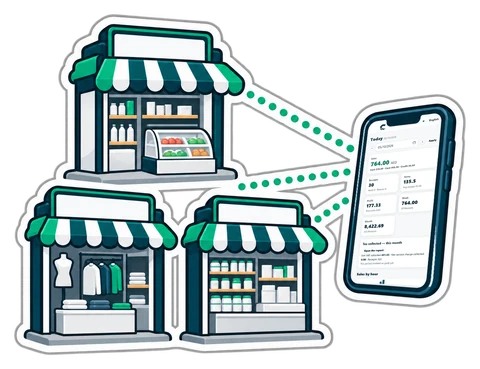
Linking several shops or companies into a group - creating it, inviting and approving, roles, the consolidated dashboard without the business between them, the group profit and loss and balance sheet, VAT side by side, ask the group, transfers between companies, shared products and prices, other currencies, leaving.
-
 Chapter 42Connections: accounting programs, Paymob and e-invoicing
Settings → Connections - connecting Zoho Books, Xero or QuickBooks Online and what goes to them, each document once, problems and Send again; Paymob for card and wallet payments in AED (pay online, refunds, pay links, settlements); UAE e-invoicing through Flick from Books.
-
 Chapter 43Projects: long jobs with a budget, the team's time and staged invoices
What projects are and how they differ from job orders, switching them on, rights, a new project with phases, tasks and the board, the team's time and the weekly timesheet, costs, invoices by milestone, progress or time and materials with retention and advances, Books, profit, alerts, settings, plans and limits.
-
 Chapter 44Fixed assets: register, depreciation, disposals and counts
The asset register with barcode tags, where an asset's cost comes from, categories and their accounts, monthly depreciation posted to Books, sales and disposals with the gain or loss, transfers between branches, revaluation and impairment, asset counts by scanning, reports, alerts and the plans.
-
 Chapter 45Services & Maintenance
Work orders, technician scheduling, equipment history and recurring maintenance.
-
 Chapter 46Customer Support
Support tickets, team assignments, response deadlines and shared knowledge articles.
-
 Chapter 47Forms
Internal forms with versioned fields, validated submissions and team review.
-
 Chapter 48Automations
Turn module events into support tickets or service orders, with optional approval.
-
 Chapter 49Production & Assembly
Bills of materials, work orders, consumption, output, waste and recorded costs.
-
 Chapter 50Rentals
Equipment reservations, deposits, handovers, returns and condition reports.
-
 Chapter 51Analytics
Saved dashboards, daily activity and CSV exports for sales and your add-ons.
-
 Chapter 52Customer Portal
A private place for customers to find purchases, documents, support and service updates.
-
 Chapter 53One account, connected modules
Start in your suite and move between the products your business uses.
-
 Chapter 54Public API and customer MCP
Connect your business software and your AI tools with controlled access.
-
 Chapter 55CRM and campaigns
Know who comes back, who has gone quiet, and who needs a call.
-
 Chapter 56Expenses and petty cash
From a receipt on a phone to an approved claim and a recorded reimbursement.
-
 Chapter 57Subscriptions and recurring billing
Sell a membership, a monthly service or a regular delivery from the same customer account.
-
Chapter 58Partners
Give your code or link to shop owners. Every shop that signs up with it shows up here.
-
 Chapter 59Trade & Wholesale
Run business-to-business orders with agreed prices, pack sizes, credit controls, partial deliveries and returns, using the customers and stock you already have.
-
 Chapter 60Supplier Market
A shared product directory for shops and suppliers: search products, compare unit prices and delivery terms, then turn an agreed request into a purchase order.
Nothing in the contents matches. Try another word, or ask us on WhatsApp.

Still stuck?
Write to us and say which screen you are on. A screenshot helps.
- WhatsApp: +1 650 442 5630
- E-mail: support@creekpos.com
- Hours: Every day 9:00–21:00 UAE time — English and Arabic; Hindi and Urdu by appointment
Try CreekPOS free
CreekPOS Online free for 14 days, or the program on your PC for 7 days. Every feature, no card.