
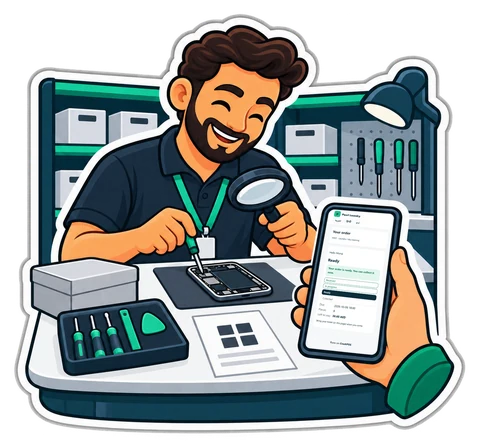





For phone, watch and electronics repairs

Every device logged, every estimate approved, every part counted

Log the device, its serial or IMEI, the fault and what was left with it; send an estimate, record the customer's answer, take parts from stock and hand back with the warranty on the ticket.

CreekPOS Online Retail from AED 99 132 / month · + 5% VAT

These features are in CreekPOS Online, switched on by the shop in Settings. The buy-once desktop program does not have them yet.

A repair bench with an opened phone and a till

Made for

  • Mobile phone and tablet repair counters
  • Watch and jewellery repairs
  • Computer and electronics repair shops
  • Shoe and bag repairs
What matters in your shop

What a repair counter needs

Switched on in Settings → Job orders with the Repair template; everything stays editable.

  • Available now in CreekPOS Online

    Repair tickets with approval

    Device, brand, model, serial or IMEI, the fault, its condition and what was left with it. An estimate puts the job on Waiting for approval and the customer's answer is recorded. The passcode is never stored.

    From the Retail plan

    How it works
  • Available now in CreekPOS Online

    Parts you do not run out of

    Parts come off stock with each repair; smart reorder lists what to buy today, per supplier, with the reason.

    From the Retail plan

    How it works
  • Available now in CreekPOS Online

    Know what happens at the counter

    A void, a big discount, a short drawer or a sale below the listed price reaches your phone.

    From the Retail plan; by Telegram from the Restaurant plan

    How it works
  • Available now in CreekPOS Online

    Business customers on account

    Companies that send devices every month pay later; reminders go out by themselves.

    From the Retail plan

    How it works
  • Available now in CreekPOS Online

    Bring your parts list

    Load parts, prices and customers from Excel or CSV.

    From the Retail plan

    How it works
A day in the shop

A phone repair, from the counter to collection

With job orders switched on and the Repair template.

  1. 10:30

    A customer brings a phone with a cracked screen, and its charger. The technician logs the brand, model and IMEI, taps “screen cracked” and ticks the charger. The form reminds him not to take the passcode.

  2. 10:35

    The ticket prints with the job number, a QR code and the warranty days.

  3. 12:00

    The estimate: a screen from stock plus labour. The job moves to Waiting for approval; the customer says yes on the phone and the answer is recorded.

  4. 15:00

    The screen comes off stock and labour is an open-priced line. The job moves to Ready and the customer gets the ready message.

  5. 18:00

    The customer collects and pays at the till. The receipt is the normal tax invoice and the ticket carries the warranty.

  6. If declined

    A declined repair goes back as it came, and the job shows that it was declined.

One plan, everything on this page

Job orders are part of CreekPOS Online from the Retail plan, the lowest one.

  • 14 days free, no card
  • 2 tills, each selling offline
  • Your data is yours: export everything, any day

Retail

AED99/ month

Launch offer: 25% off until 13 November 2026, code LAUNCH25 applied automatically.

Prices exclude 5% VAT.

Start your 14-day trial All plans and prices
Book a demo

Book a 10-minute demo

We show you CreekPOS on a screen-share, with your kind of shop and in your language. Tell us when suits you; we confirm on WhatsApp.

  • 10 minutes, no obligation
  • Your shop type, your questions
  • In English or Arabic — Hindi or Urdu by appointment

Chat on WhatsApp

Answers in seconds, any time: our WhatsApp assistant replies first, and a person from our team takes over whenever you need one.

Rather look around on your own first? No sign-up: a demo shop of your own, ready in a minute. Try the live demo

We use these details only to arrange your demo. Privacy

Repair shop questions

Do you store the phone's passcode?

No. The form says so, and there is no field for it.

Can parts come from stock?

Yes. Parts are products in your stock; labour is an open-priced line.

What if the customer says no to the estimate?

Record the answer: the device goes back as it came, and the job shows that it was declined.

Also made for: Laundry & dry cleaningTailoringPerfume & oudRoasteries & spices Retail Restaurant

Try CreekPOS free

CreekPOS Online free for 14 days, or the program on your PC for 7 days. Every feature, no card.

Help centre

Search by feature, screen or task. Open a guide and share its link with your team.

Help centre