

Which one is right for me?
Four questions, and you know
The same till, two ways to run it. Answer for your shop as it is today — your data moves both ways, and you can change your mind later.

The difference in one minute
The program on your PC — pay once
- A one-time licence per shop; it is yours.
- Never needs the internet; your records are kept in files on that PC, and you keep the backups.
- Windows only; seeing the shop from your phone needs the shop network or a router setting.
Pick it if: one shop with one or two registers, unreliable internet, and you want to own the licence.
CreekPOS Online — any device, nothing to install
- A monthly or yearly plan per shop, with updates and a daily backup included.
- Manage from any browser — computer, tablet or phone — from anywhere.
- Sell from the browser, or on the CreekPOS program for Windows or CreekPOS Till for Android, which keep selling when the internet drops.
Pick it if: you want the shop on your phone, more than two registers or branches, or no PC to look after.
1. How many registers and branches?
The CreekPOS programOne or two registers in one shop: the program fits. A second register links to the first.
CreekPOS OnlineThree or more registers, or more than one branch: CreekPOS Online. Registers pair in a minute and branches share one account.
2. How is your internet?
The CreekPOS programNo internet, or you do not want to depend on it: the program never needs it.
CreekPOS OnlineStable most of the day: either works. The online till keeps selling in a cut.
3. Do you want to see the shop from your phone?
The CreekPOS programOnly in the shop, or not at all: the program.
CreekPOS OnlineYes, from anywhere: CreekPOS Online, on every plan.
4. How do you want to pay?
The CreekPOS programOnce, and own it: the program. Updates are free; an optional yearly plan adds priority support.
CreekPOS OnlineMonthly, with updates and backups done for you: CreekPOS Online.
Retail or Restaurant?
RetailGroceries, supermarkets, bakeries, butchers and greengrocers, pharmacies, boutiques, mobile and electronics shops, wholesale — anything sold over a counter: Retail.
RestaurantAnything cooked or served to a table — cafés, cafeterias, restaurants, bakeries with seating: Restaurant, for the kitchen screen, tables and modifiers.
The short version
| The program | CreekPOS Online | |
|---|---|---|
| How you pay | Once per shop; optional yearly support plan | Monthly per shop |
| Internet | Never needed | Needed for management; the till sells offline |
| Seeing the shop from outside | On the shop network, or with a router setting | Any device, anywhere |
| More registers and branches | One or two registers in one shop | Pair registers in a minute; branches under one account |
| Backups and updates | Yours, with the Backup tab | Done for you, daily |
| The register PC | Windows 10 or 11 | Management and selling in any browser; offline on the Windows program or the Android till from Google Play |
| Free trial | 14 days, every feature, no card | 14 days, every feature, no card |

Try before you pay
Both trials are free and complete. Your trial data carries over when you buy.
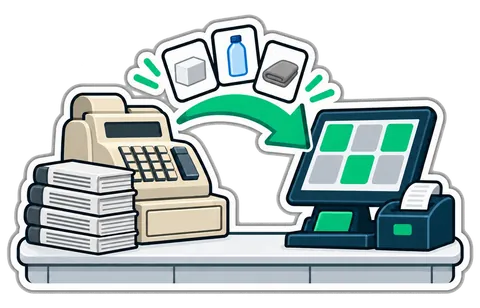
Your products come with you
Product import from a spreadsheet is included in setup; bring Excel or CSV.

Change your mind any time
Your data moves between the program and CreekPOS Online in both directions.
Try CreekPOS free
CreekPOS Online free for 14 days, or the program on your PC for 14 days. Every feature, no card.