


For suppliers
Shops can search published products by name, brand, category or GTIN. Your public business profile gives them a way to understand who supplies the goods.
For suppliersSell at the counter on Windows, Mac or Linux — even offline — and see sales, stock and who owes you on your phone.
14 days free · every feature · no card
Online plans from AED 99 132 / month · + 5% VAT
Prefer a guided tour? Book a 10-minute demoPrefer to pay once? See the desktop edition

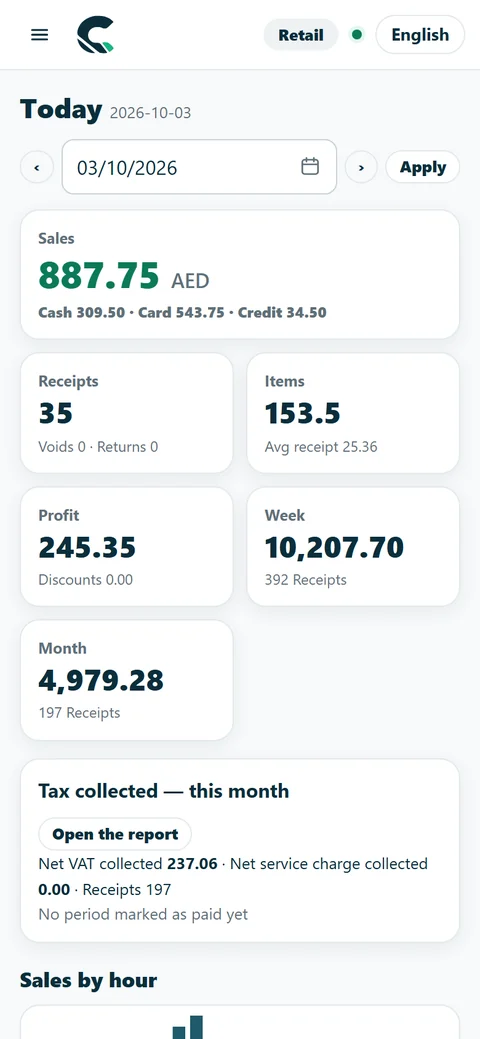
Available now in CreekPOS Online: switch each one on in Settings; some depend on the plan.
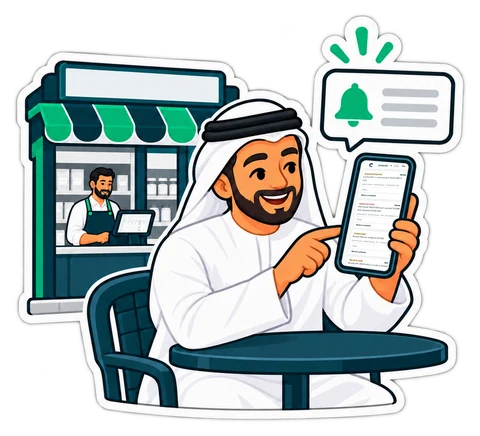 Owner alerts & cashier risk auditCashier Risk & No-Sale Drawer Audit, Blind Shift Close & Cash Variance Audit, voids and big discounts reach your phone with the cashier, the till and the receipt.
 Ask your shopType a question in plain English, Arabic, Hindi or Urdu — “sales today?”, “who owes me?” — and get the exact figure from your own data. It never guesses a number.
 AI invoice readingPhotograph a supplier's invoice: an AI model reads it and fills in the stock receipt. The software checks every sum and you confirm before anything is saved.In pilot — ask us to switch it on
 Menu boards and order screenYour menu on any TV with live prices and sold-out items, and a Preparing / Ready screen that shows the order numbers.
 Job orders & layaway depositsLayaway / Tailoring Deposit Orders for laundries, tailors, abaya boutiques and repair shops: a numbered ticket, deposit, status board, customer tracking page and ready message.
 1-Click Migration & data import1-Click Migration from Foodics, Square, Loyverse, or Excel/CSV: bring products, customers, suppliers, opening balances and stock with ready layouts — and undo for 30 days.
Type “what is running low?” or “who owes me” in English, Arabic, Hindi or Urdu, in the back office or the shop's Telegram bot, and get the exact figures from your own data. It never guesses a number.
How it works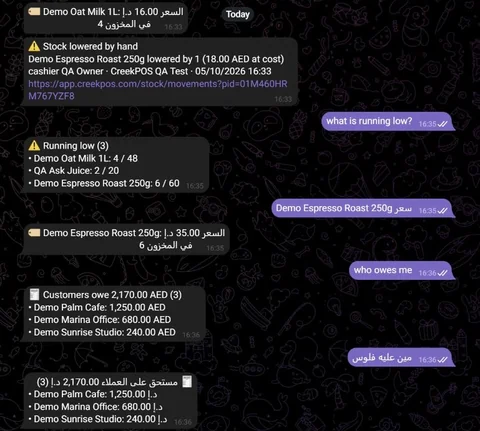
Each page shows the screens, the plan and the price for your kind of shop.
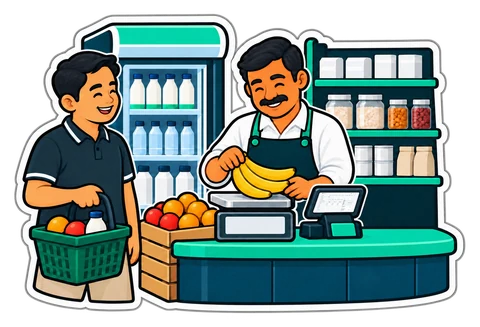
Minimarkets, groceries, pharmacies and boutiques.
From AED 99 132 / month

Cafés, cafeterias, karak shops and restaurants.
From AED 150 200 / month

Two branches or more under one account.
From AED 300 400 / month
Also made for: Laundry & dry cleaningTailoringRepair shopsPerfume & oudRoasteries & spices

Sign up in two minutes and pick your kind of business. Import your products from Excel, or scan them in.

Download CreekPOS for Windows, Mac or Linux and plug in your printer, scanner and drawer — on Windows, common printers set themselves up.

Ring up sales, even offline. Watch sales, stock and profit live on your phone.
Manage the shop in any browser — computer, tablet or phone. Sell on the free till app (Windows, Mac, Linux or an Android tablet), connected with a 6-digit code; it drives the printer and keeps selling when the internet drops. Every step with real screens: the Online manual →
Scan, tap or weigh — then cash, card, bank transfer or on credit. Run supermarket BOGO promos, issue Go-Green paperless receipts with Instant Mobile Browser PWA Digital Stamp & VIP Cards (with Cashier QR), sell Prepaid Digital Coupon Books (coupon-book), and split Salon Multi-Chair Commissions (stylist-commission).

Every sale deducts units or BOM recipe ingredients automatically. Audit Theoretical vs. Actual Stock Variance (recipe_stock_variance), look up pharmacy FEFO active-ingredient substitutes, log Cold-Chain temperatures (cold-chain-log), track Laundry & Repair tags (garment-repair-tag), and generate Smart Auto-PO reorders.
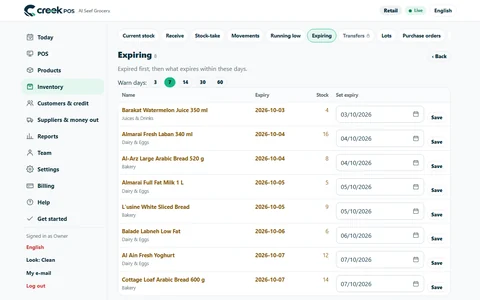
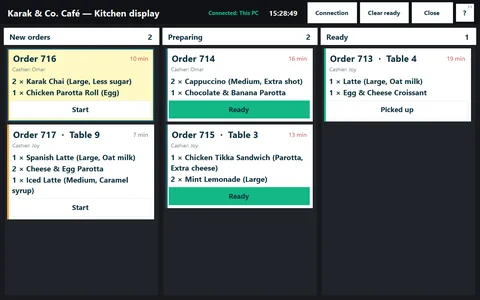
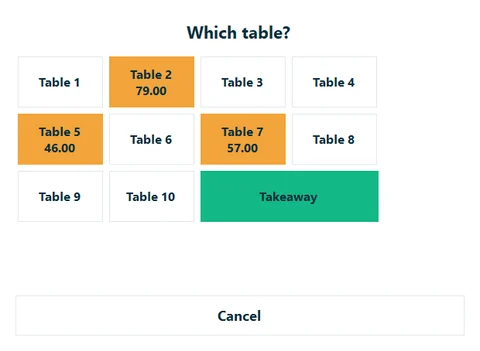
Track every ticket from Queued to Served with Kitchen QA SLA telemetry (kitchen_staff_sla). Run an Hourly Table, Gaming Lounge & Minimum-Charge Timer (hourly-table-timer), alert waiters via the tablet Ready-Bell, route orders with the Multi-Branch Call-Center Order Router, and guard margins with Multi-Tier Price Lists.
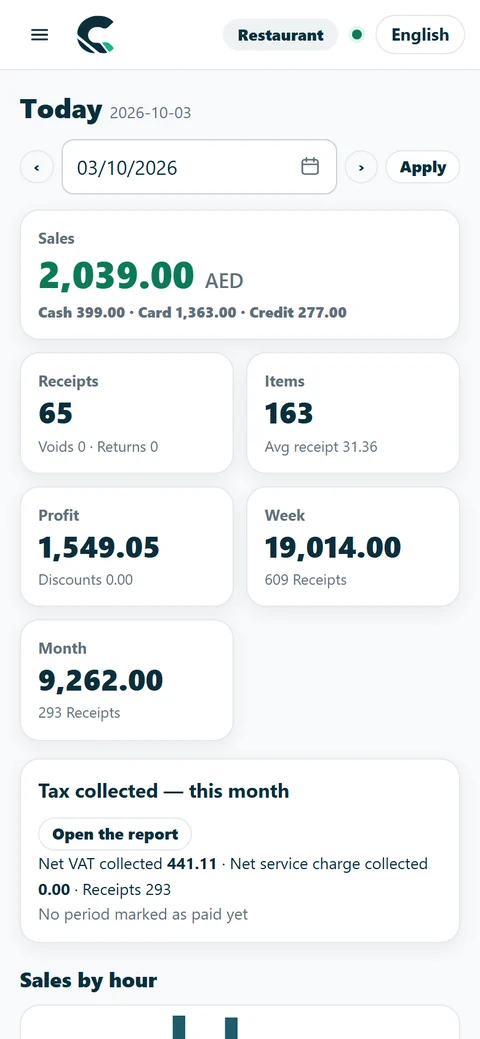
See live sales, UAE 9% Corporate Tax & AED 3M Small Business Relief (SBR) status, and FTA VAT 201 boxes on your phone — stream to Power BI with HH:mm timestamps, verify 1-Click USB Flash Backups (backup-manifest), or connect Claude, ChatGPT and Gemini via 21 read-only MCP tools.
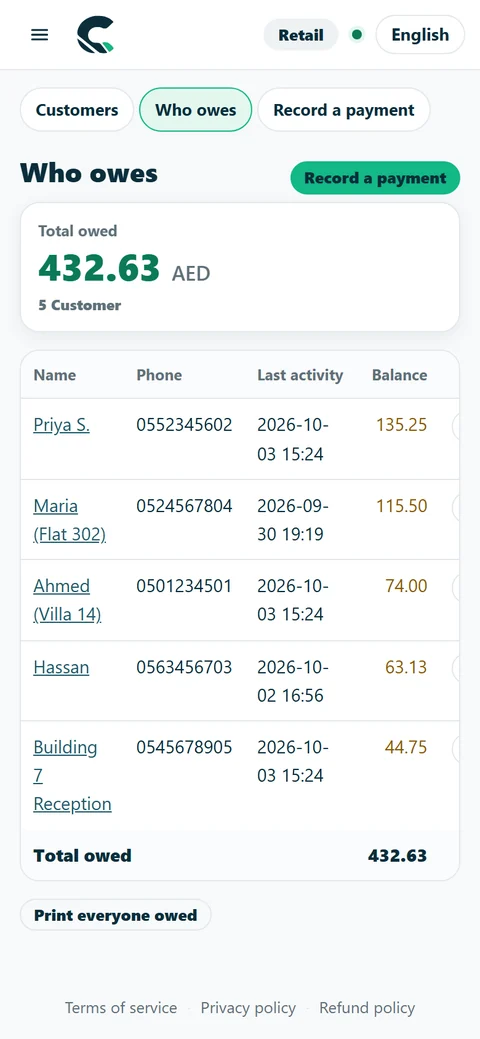
Zero-middleware read-only connection via creekpos.mcpb & skill.md — including kitchen_staff_sla and recipe_stock_variance.
Per-dish prep SLA timers, chef/waiter speed leaderboards, tablet Ready-Bell, 'Needs Cleaning' board & Hourly Table, Gaming Lounge & Minimum-Charge Timer (hourly-table-timer).
Compare theoretical BOM usage vs. actual stock-take, run Multi-Tier Price Lists (Dine-In, Takeaway, VIP Room, In-House Delivery, Wholesale) with Packaging Margin Guard, and route orders via the Multi-Branch Call-Center Order Router.
Guests order and pay from the table QR; issue Instant Mobile Browser PWA Digital Stamp & VIP Cards with Cashier QR and Prepaid Digital Coupon Books (coupon-book).
Look up active-ingredient substitutes, record fridge temperatures in the Cold-Chain Log (cold-chain-log), auto-generate supplier POs, and log Return-to-Vendor (RTV) claims.
Track Laundry Conveyor & Electronics Repair Tags (garment-repair-tag), split Salon Multi-Chair Commissions & Tips (stylist-commission), and run 1-Click USB Flash Backups (backup-manifest).
Built in October 2026 for UAE shops: purchasing, warehouses, projects and fixed assets as modules of the same app, your accounting program and card payments connected (coming soon), a front desk on your WhatsApp (coming soon), and a receipt that brings customers back.
 ProjectsLong jobs for one customer: a contract, a budget split into phases, tasks on a board and the team's hours, for contractors, fit-out firms and agencies.Available now in CreekPOS Online
 Fixed assetsAn asset register with barcode tags, photos, places and warranties, for everything the shop owns and uses for years.Available now in CreekPOS Online
 Procurement on the desktopFrom 5.7.0 the buy-once program has purchase requests, approvals, the three-way match, supplier ageing and a Procurement home, on one PC, offline.Available now in the desktop program
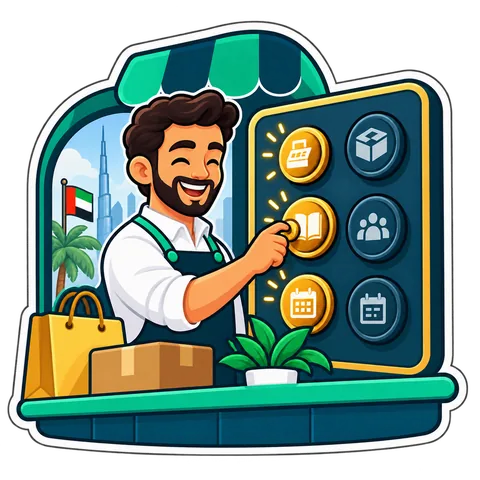 Modules à la carteOne page, Settings → Modules: switch whole modules on and off as the shop grows. One account, one login, one bill.Available now in CreekPOS Online
 Purchase requests and approvalsRequests priced at the supplier's latest list, approvals by amount with two different approvers above your limit, and monthly budgets per category.Available now in CreekPOS Online
 Three-way matchThe supplier's invoice is checked against the order and the delivery note: within your tolerance it is posted, outside it waits in “Invoices to check”.Available now in CreekPOS Online
 Transfers in transitPick by scanning, dispatch with a numbered transfer note and its QR, receive in parts; short and damaged goods are settled by a manager.Available now in CreekPOS Online
 A group of companiesOne dashboard and a group profit and loss across up to 20 shops, with the business between your own companies removed.Available now in CreekPOS Online
 XeroEach day's sales journal, customers on credit, their invoices, credit notes and payments go to Xero by themselves, each document once.Coming soon
 Card and wallet payments with PaymobYour own Paymob account in AED: pay online in your online shop, pay links for what customers owe, and settlements ready for Books.Coming soon
 UAE e-invoicing through FlickBooks tax invoices and credit notes to customers with a TRN go out as UAE e-invoices through Flick, with their status on the invoice.Coming soon
 A Front Desk that knows your shopIt answers from your notes and catalogue, lists what it could not answer, remembers your regulars, opens cases for your team and checks its replies.Coming soon
Also new: Smart stock E-receipt & reviews ERP & warehouses Connections
Your accounts, your appointments, your team and your own AI, in the same CreekPOS Online you sell with: one login, one customer list, one bill.

Quotes, invoices, supplier bills, bank statements, UAE 9% Corporate Tax & AED 3M Small Business Relief (SBR) tracking, FTA VAT 201 readiness calculator and profit.
Restaurant and Chain plans
Learn more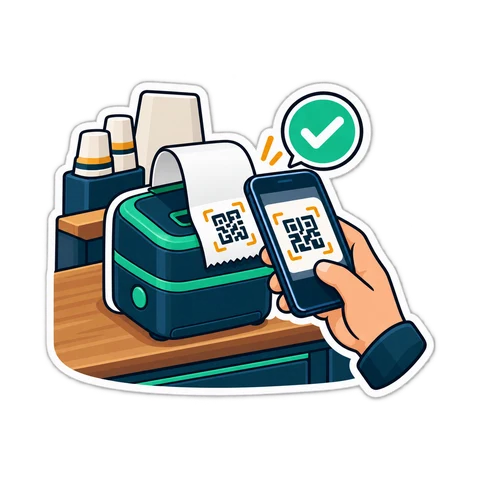
A booking page for your shop, one calendar that never double-books, reminders and checkout at the till.
Restaurant and Chain plans
Learn more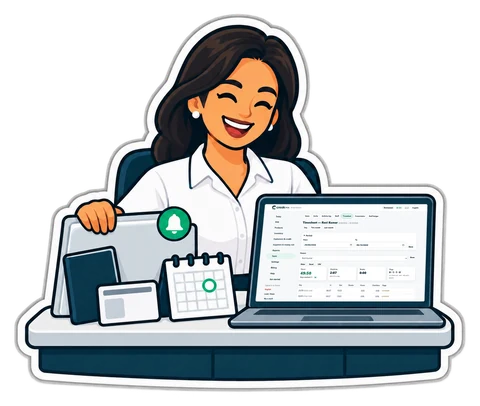
Employee files, document expiry reminders, leave, the roster, attendance devices, payroll with payslips and the UAE WPS salary file.
Files, leave and roster on every plan; payroll and WPS on Restaurant and Chain
Learn more
Zero-middleware read-only connection (21 MCP tools including kitchen_staff_sla & recipe_stock_variance) for Claude, ChatGPT and Gemini: 1-click creekpos.mcpb bundle, portable SKILL.md and /.well-known/mcp.json discovery.
Restaurant and Chain plans
Learn moreSwitch on an online shop, an online menu and QR ordering at the table in Settings → Online. Products, prices and stock come straight from the till, and orders arrive at the till.
Included in the Restaurant and Chain plans. On Retail: the online shop AED 49 a month, the online menu or table QR AED 19 each.

No locked-in terminal. A Windows, Mac or Linux computer and standard devices — the Windows installer sets up common USB receipt printers by itself.
Two ways to use the same market. Choose the route that fits your business.
Shops can search published products by name, brand, category or GTIN. Your public business profile gives them a way to understand who supplies the goods.
For suppliers
Browse the public directory by product, brand, category or GTIN. Check the supplier profile and compare currency, unit and pack size together.
For shopsExplore the connected products, their plans and add-ons. Each page explains what it does, what it costs and how to use it.

Work orders, technician scheduling, equipment history and recurring maintenance.

Support tickets, team assignments, response deadlines and shared knowledge articles.

Internal forms with versioned fields, validated submissions and team review.

Turn module events into support tickets or service orders, with optional approval.

Bills of materials, work orders, consumption, output, waste and recorded costs.

Equipment reservations, deposits, handovers, returns and condition reports.

Saved dashboards, daily activity and CSV exports for sales and your add-ons.

A private place for customers to find purchases, documents, support and service updates.

Know who comes back, who has gone quiet, and who needs a call.

From a receipt on a phone to an approved claim and a recorded reimbursement.

Sell a membership, a monthly service or a regular delivery from the same customer account.

Run business-to-business orders with agreed prices, pack sizes, credit controls, partial deliveries and returns, using the customers and stock you already have.

A shared product directory for shops and suppliers: search products, compare unit prices and delivery terms, then turn an agreed request into a purchase order.
One account, connected modules · Public API and customer MCP
We show you CreekPOS on a screen-share, with your kind of shop and in your language. Tell us when suits you; we confirm on WhatsApp.

Answers in seconds, any time: our WhatsApp assistant replies first, and a person from our team takes over whenever you need one.
Rather look around on your own first? No sign-up: a demo shop of your own, ready in a minute. Try the live demo
We will message you on WhatsApp during support hours to fix the time. Want it sooner? Send us a message now.
No. The program works fully offline. CreekPOS Online keeps selling when the line drops and syncs when it is back.
Your choice. Buy the program once per register, or pay monthly for CreekPOS Online. Both are listed on the pricing page.
Yes. Export everything on any day — on the PC and online — in a format the other edition can read.
Any 58 or 80 mm thermal printer with a driver for your computer; on Windows, common USB models are set up automatically. Cash drawers connect through the printer or a USB trigger.
Included: a remote setup session (screen-share) with Online Retail and above, on-site installation with Online Chain and Desktop Platinum, the self-service setup guide with every plan, and product import from a spreadsheet. Quoted separately: on-site installation on the other plans, hardware and staff training.
English, Arabic, Hindi and Urdu on the screen; receipts print in the language you choose.
14 days free with every feature, no card. Or open a ready demo shop and look around first.
Search by feature, screen or task. Open a guide and share its link with your team.