Paper stamp cards get lost and copied; loyalty apps never get downloaded. A stamp card that lives on the customer's phone through a link, filled automatically from the till, keeps the simplicity and drops the problems.
"Buy nine karaks, the tenth is free." It is the oldest loyalty scheme in retail and still one of the best: easy to explain, easy to understand, and the customer can see their progress. Paper cards have three problems: they get lost, they get forgotten at home, and a stamp is easy to copy. Loyalty apps solve those problems and create a bigger one: nobody downloads an app for a cafeteria.
The idea
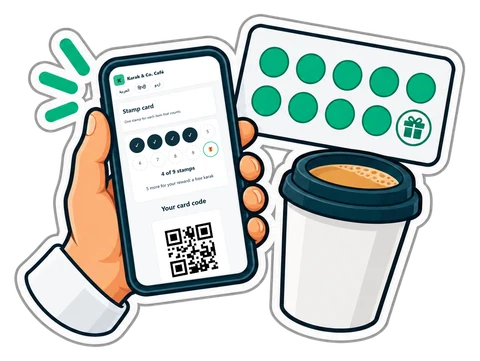
The card lives on the customer's phone as a web page, opened from a QR code. There is nothing to install and no account to create. The till fills it.
- The customer scans the QR on their receipt, or on a small sign at the counter.
- The card opens on their phone, with the shop's name and the stamps so far. They can add it to their home screen.
- Next time, the cashier picks the customer (or scans the code on the card) and the stamps are added from the sale.
- When the card is full, the till shows a Give the reward button.
Choose the rules
- How many stamps fill a card. Nine stamps and the tenth free is the classic; six works for more expensive items.
- What earns a stamp. A visit above a minimum amount (AED 10), or each item in chosen categories (every hot drink, every haircut).
- A cap per receipt, so one big order does not fill a card at once.
- The reward, in plain words: "a free karak", "10 % off a bottle of perfume".
- An expiry, if you want one: stamps older than 90 days drop off.
Keep the rules simple enough that the cashier can explain them in one sentence.
Stamp card or points?
Points ("1 point per dirham, 100 points = AED 5") suit shops with many different products and prices: groceries, pharmacies. A stamp card suits shops where one product drives the visits: coffee, karak, juices, haircuts, car washes. Some shops use both; most should pick one.
Make it visible
- A counter sign with the QR code, next to the till.
- The QR printed on every receipt for the first month.
- The cashier asks once: "Do you have our stamp card?"
The first week sets the habit. After that, regulars ask for it themselves.
Watch the numbers
After a month, check how many cards were started, how many reached half, how many rewards were given. If almost nobody completes a card, the target is too high or the rule too narrow.
Fair to the customer, safe for you
The card belongs to one customer and only shows their own stamps. Stamps come from real sales at the till, not from a button anyone can press. The stamps are kept on the customer's account at the shop, so a lost phone does not lose them.
In CreekPOS
The stamp card is in CreekPOS Online. Switch it on in Settings → Stamp card: the stamps that fill a card, what earns a stamp, the cap per receipt, the reward text and the expiry, and print the counter sign with its QR. At the till, a Stamp card box under the customer shows the stamps and a Give the reward button. See the manual and the café page. Points-based loyalty is available too; see loyalty in the manual.
This article is general information as of its date, not legal or tax advice. Rules change; check the official source or ask your accountant before acting.