

Discount caps and approvals: stop discounts leaking your margin
Small counter discounts add up fast. How much a discount really costs, where it leaks, and how a cap per role with quick manager approval keeps your margin intact.
Before you run a discount, work out how many extra sales it needs to pay for itself. Promotion types, worked numbers and a checklist for UAE shops and cafés.
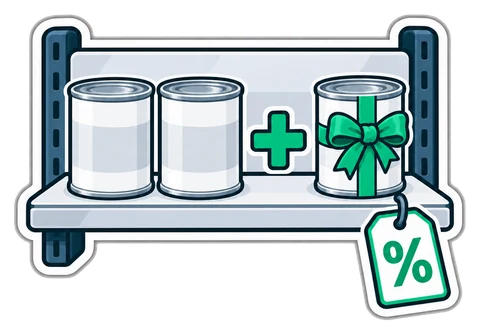
A promotion is a bet: you give up margin on each sale and hope the extra sales make up for it. Many shops never check whether the bet paid off. This article shows how to do the arithmetic before you start, which promotion type suits which goal, and how to tell afterwards whether it worked.
Every promotion should start with one question: how many extra units must I sell to earn the same gross profit as before?
Take a product sold at AED 10 on the shelf, which costs you AED 6. These are example numbers, not a statistic.
| Before | 20% off | |
|---|---|---|
| Shelf price (incl. 5% VAT) | AED 10.00 | AED 8.00 |
| Net price (÷ 1.05) | AED 9.52 | AED 7.62 |
| Cost | AED 6.00 | AED 6.00 |
| Gross profit per unit | AED 3.52 | AED 1.62 |
Profit per unit falls by more than half. To earn the same profit you need to sell about 2.2 times as many units. If you usually sell 50 a week, the offer has to move about 110. Sometimes it will, often it will not.
Remember to work on the net price. Shelf prices in the UAE include VAT, and the VAT is not part of your margin. A discount reduces the price the VAT is calculated on, so the tax goes down with it; how a specific promotion is treated for VAT is a question for your accountant.
| Type | Example | Good for | Watch out for |
|---|---|---|---|
| Percent off | 15% off all detergents | Clearing a category, simple signage | Gives the same cut on high and low-margin items |
| Amount off | AED 3 off a 5 kg rice bag | Big-ticket items, clear message | Too small on expensive items to be noticed |
| Buy X get Y | Buy 2 juices, get 1 free | Moving volume, short-dated stock | It is really 33% off three units |
| Bundle | Karak + sandwich for AED 13 | Raising the average receipt | Bundling two items that already sell together |
| Time-boxed | Afternoon deal, 3-5 pm | Filling quiet hours | Regulars shifting their visit into the cheap window |
Translate every "free" offer into a percentage before you approve it. Buy 1 get 1 is 50% off two units. Buy 2 get 1 is 33% off three. Buy 3 get 1 is 25% off four. Put that percentage through the table above and you know the volume you need.
A good bundle pairs a high-margin item with a popular one. In a cafeteria, a karak at AED 2 and a chicken sandwich at AED 12 make AED 14 separately. Offer them together for AED 13 and the customer who came for the sandwich adds a drink; the AED 1 you give up is far less than the margin on the karak.
The bundle fails when it pairs two items most customers buy together anyway. Then you give away AED 1 on every sale you would have made at full price. Check your sales first: if most sandwich receipts already contain a drink, bundle something else.
Most cafés and cafeterias have a rush at breakfast, lunch and in the evening, and an empty stretch in the afternoon, especially in summer. An afternoon deal can bring people in when staff are already paid and standing idle. The cost is low, because the extra sales use capacity you have anyway.
Two rules keep it honest: make the window short and fixed (for example 3 to 5 pm), and look at the sales by hour before and after. If the lunch hour drops by the same amount the afternoon gains, you have only moved customers into a cheaper slot.
Promotions in CreekPOS can be percent or amount off, buy X get Y, or bundles, each can be time-boxed, and each is set to stack with other offers or stay exclusive. The cashier does nothing extra: the till applies the offer, and the promotion shows on the receipt, on any return and in the reports, so you can compare the weeks. On CreekPOS Online the server checks every promotion again when the sale arrives. Manual discounts by cashiers are a separate topic, covered in discount caps and approvals; the full list is on the features page.
Is a percentage or an amount off better? Percent suits categories; an amount suits single, expensive items where AED 5 off is easy to understand.
How long should a promotion run? Long enough to cover a full week of trading, usually one to four weeks. Then stop and compare.
What if the offer did not pay? End it on the planned date and note the result. A promotion that lost money is still useful if it teaches you what not to repeat.
How do I see if it worked? Compare units, gross profit and average receipt per week in your reports, not just the sales total.
Want to try a buy-2-get-1 on real products? Open the grocery demo or start a 14-day trial and set up your first offer.
This article is general information as of its date, not legal or tax advice. Rules change; check the official source or ask your accountant before acting.
Small counter discounts add up fast. How much a discount really costs, where it leaks, and how a cap per role with quick manager approval keeps your margin intact.
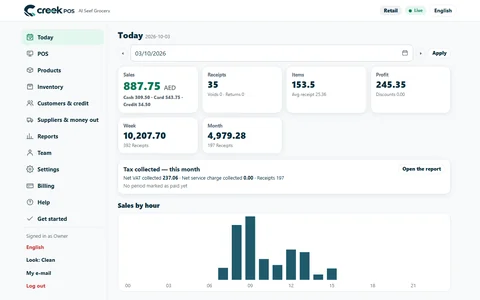
A ten-minute closing routine for a small UAE shop or café: sales, margin, average receipt, the drawer, discounts and stock alerts, in the same order every day.
What a baqala or minimarket needs from a point of sale, from scanning speed and scale labels to monthly accounts, expiry dates and VAT, plus questions to ask first.
CreekPOS Online free for 14 days, or the program on your PC for 7 days. Every feature, no card.
Search by feature, screen or task. Open a guide and share its link with your team.