

Barcodes and scale labels: EAN-13, in-store codes and weighed items
How barcodes work in a UAE shop: EAN-13 numbers from GS1, in-store codes starting with 2, scale labels that carry a weight or a price, and the mistakes that slow a till.
What a UAE shop or café really needs at the till: a 58 or 80 mm thermal printer, a cash drawer that opens from the printer, the right scanner, and what to skip.
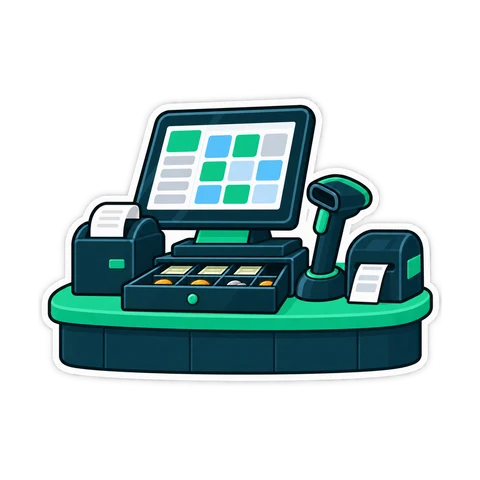
The hardware at a till is not glamorous, but it decides how fast the queue moves and how often you call for help on a Friday evening. The good news: a reliable set costs less than most owners expect, and almost none of it needs to be a special "POS brand". This guide covers what to buy, what to check before you pay, and what you can skip.
| Device | Choose | Skip |
|---|---|---|
| Computer | Windows 10 or 11, 64-bit; a touch all-in-one or a PC with a touch monitor | Very old PCs with slow hard disks |
| Receipt printer | 80 mm thermal with auto-cutter, USB or network | Printers without a Windows driver |
| Cash drawer | Connects to the printer by an RJ11 cable | Drawers with a proprietary connector |
| Scanner | USB, works as a keyboard, 2D imager | Scanners that need special software |
| Card terminal | From your bank | None; you need one |
| Optional | Customer display, label printer, scale | Anything you cannot name a job for |
A grocery adds a scanner on a stand and perhaps a label scale. A café adds a kitchen ticket printer or a kitchen screen. Everything else is optional.
80 mm is the standard for most counters. The wider line fits your name, address, TRN, item names and the VAT summary without awkward wrapping, and the same printer works for kitchen tickets. 58 mm printers are smaller and suit tight counters, kiosks and food trucks, but long product names wrap onto two lines.
What to check before buying:
Paper. Buy the right width and roll diameter for your printer, and store rolls somewhere cool and dark. Thermal paper fades in heat and sunlight; a box left in a hot car or a storeroom in August can print grey receipts. A worked example, not a statistic: if a roll gives about 400 receipts and you print 250 a day, you change rolls every day and a half. Keep at least a week's supply behind the counter.
The common setup is simple: the drawer plugs into the printer with an RJ11 cable, and the printer sends a short signal that opens it when a cash sale prints. Card sales do not need the drawer, so it can stay shut.
USB "keyboard" scanners are the easiest: the computer sees them as a keyboard, so there is nothing to install and any program that has a search box can use them.
| Type | Reads | Good for |
|---|---|---|
| 1D (laser or linear) | Printed barcodes on packs | Small shops on a tight budget |
| 2D imager | Barcodes, QR codes, codes on phone screens, worn labels | Most shops today |
| Presentation (on a stand) | Items passed in front of it | Busy grocery counters |
| Wireless | Same, without a cable | Water cases, rice sacks, bulky items |
The price difference between 1D and 2D is now small, and a 2D imager reads crumpled labels and curved bottles much better. A corded scanner on a stand plus one wireless handheld covers almost every grocery.
UAE sockets are 220-240 V with UK-style plugs; check that every adapter and power strip is rated for it. Keep the printer and PC away from the grill, the coffee machine's steam and direct sun through the shop window. Route cables where staff and customers will not trip over them, and label each one.
CreekPOS works with any 58 or 80 mm thermal printer that has a Windows driver, over USB, the network or as a Windows printer, and the installer sets up common USB models. The cash drawer opens through the printer's RJ11 port, a USB trigger or a network printer, with a diagnostic that tries every kick command until one works. Any USB keyboard-wedge scanner works, as do label printers with a Windows driver, a touch screen or mouse, a customer display (second monitor, 2x20 pole display or 8-digit LED), serial scales, and a phone camera as a scanner for stock counts. See the hardware page.
Do I need a "POS brand" printer? No. Any thermal receipt printer with a Windows driver and a drawer port will do.
Can the card terminal connect to the till? In most small shops the bank's terminal works on its own: you key the amount on the terminal and record the card payment at the till.
Is a tablet enough? For an online till that runs in the browser, often yes; check how the printer and drawer will connect first.
Have a printer already? Download the desktop program and print a test receipt, or start a 14-day trial of the online edition.
This article is general information as of its date, not legal or tax advice. Rules change; check the official source or ask your accountant before acting.
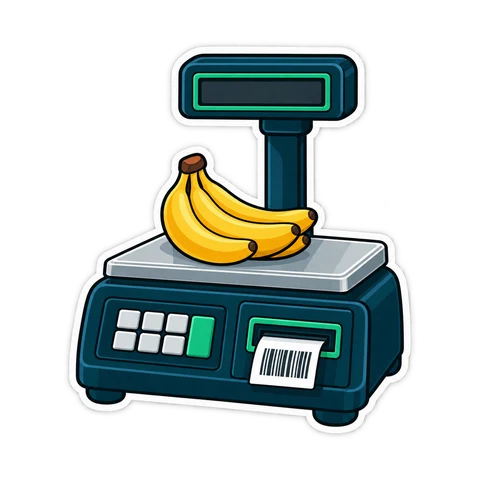
How barcodes work in a UAE shop: EAN-13 numbers from GS1, in-store codes starting with 2, scale labels that carry a weight or a price, and the mistakes that slow a till.
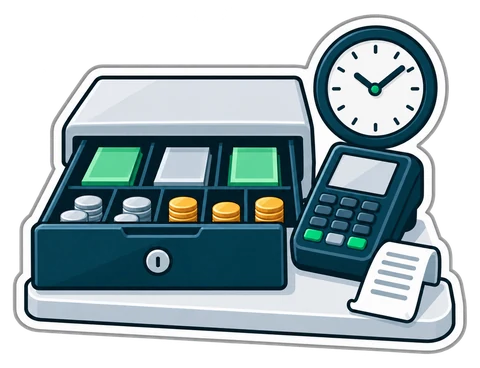
A shift routine that makes the cash drawer and the card terminal agree with the till every night. Opening float, cash in and out, the Z report and a worked drawer count.
What a baqala or minimarket needs from a point of sale, from scanning speed and scale labels to monthly accounts, expiry dates and VAT, plus questions to ask first.
CreekPOS Online free for 14 days, or the program on your PC for 7 days. Every feature, no card.
Search by feature, screen or task. Open a guide and share its link with your team.