

Barcodes and scale labels: EAN-13, in-store codes and weighed items
How barcodes work in a UAE shop: EAN-13 numbers from GS1, in-store codes starting with 2, scale labels that carry a weight or a price, and the mistakes that slow a till.
What a baqala or minimarket needs from a point of sale, from scanning speed and scale labels to monthly accounts, expiry dates and VAT, plus questions to ask first.
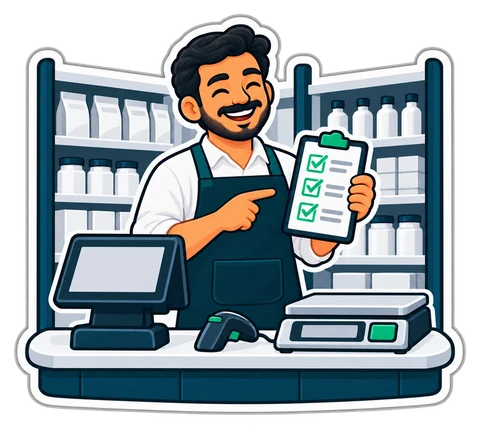
A grocery till works harder than most. It sells hundreds of small baskets a day, thousands of products with barcodes and some without, weighed vegetables, and a notebook's worth of regulars who pay at the end of the month. A system that looks good in a demo can still slow down the counter on a busy Friday evening.
This guide lists what matters for a UAE baqala or minimarket and the questions to ask any supplier before you commit.
Speed at the counter is where a grocery earns or loses. Picture a busy evening with 300 receipts (example, not a statistic). If each sale takes four seconds longer because the cashier hunts through menus, that is twenty minutes of queue every day.
Check these on a real demo, with your own hands:
Entering 3,000 products by hand takes weeks. Ask how the system gets your list in:
Weighed goods deserve their own question. If your scale prints barcode labels with the weight or price inside, the till must read them correctly. These labels use in-store codes that start with 2; the details are in barcodes and scale labels.
A small grocery does not need a warehouse system, but it does need to know what is on the shelf:
| Need | Why it matters in a grocery |
|---|---|
| Receive deliveries by scanning, with cost and supplier | Stock and cost stay right without a second notebook |
| Low-stock list with suggested quantities | Ordering takes ten minutes, not an hour |
| Expiry dates by delivery | Dairy, bread and chilled items sell first-to-expire; see expiry dates and FEFO |
| Stock-take with variance at cost | Shrinkage shows up as dirhams, not a vague feeling |
| Supplier balances | You know what you owe each supplier before the rep asks |
Summer heat makes the expiry row more important, not less. Chilled and dairy products have short lives, and a till that warns before they expire saves real money.
Many UAE baqalas carry regulars on credit until salary day. A POS should make that as quick as cash: sell on account in one tap, show who owes what, record partial repayments with the date and the person who took the money, and print a statement when a customer asks. If a regular's balance appears on their receipt, arguments at month end mostly disappear.
If you are VAT-registered, the till must show your TRN on receipts, handle VAT included in prices at 5%, and keep sales by tax category for the return. You will occasionally need a full A4 tax invoice for a company customer. The basics are in UAE VAT for a small shop.
Grocery staff in the UAE often read Arabic, English, Hindi, Urdu, Malayalam or Tagalog. A screen in the cashier's language, or at least a second product name next to the main one, reduces wrong items. Ask also about cashier rights: who can void, discount, return or open the drawer without a sale, and how a manager approves on the spot.
Ask whether the system works with ordinary hardware: any 80 mm thermal printer, a cash drawer, a USB scanner, a label printer and a scale. Avoid systems that lock you to one brand of printer. And ask the honest question: what happens when the internet drops? A grocery cannot stop selling while the router restarts.
There are two broad models: a program bought once that runs on your own PC, or a monthly service you manage from a browser. One-time suits a single shop that wants no monthly bill; monthly suits owners who want to check sales from home or run more than one branch. Whichever you choose, make sure you can export all your data if you leave.
CreekPOS covers the list above in both editions: a Windows program bought once per register that runs fully offline, and CreekPOS Online, where tills keep selling when the connection drops and sync when it returns. Both editions read scale labels, carry credit accounts, list expiring stock and run a stock-take from phones, and one export file moves your data from one edition to the other.
Curious how it feels on a busy counter? Open the demo grocery, no sign-up needed, or start a 14-day trial with your own list.
This article is general information as of its date, not legal or tax advice. Rules change; check the official source or ask your accountant before acting.
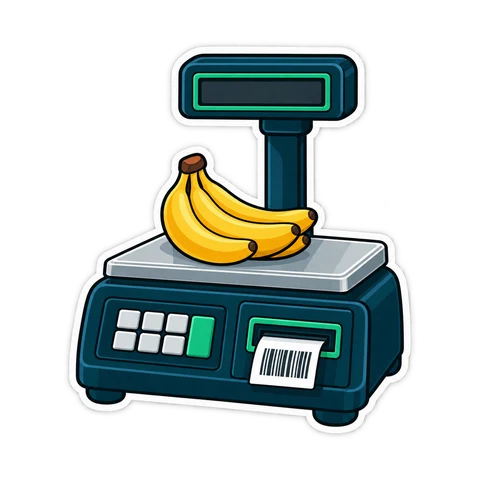
How barcodes work in a UAE shop: EAN-13 numbers from GS1, in-store codes starting with 2, scale labels that carry a weight or a price, and the mistakes that slow a till.
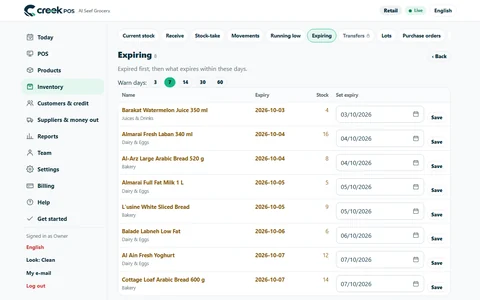
How a UAE grocery or café keeps expired products off the shelf with first-expiry-first-out, a receiving routine, a daily check and early markdowns, with worked numbers.
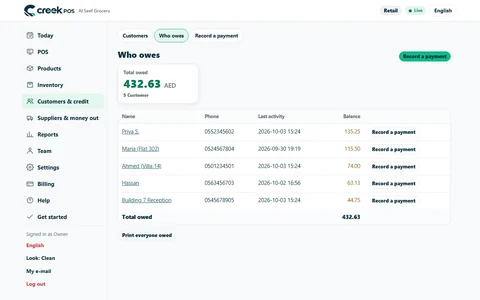
The baqala monthly account keeps regulars loyal, but a notebook loses money. How to set credit rules and limits, record sales and repayments, and collect at month end.
CreekPOS Online free for 14 days, or the program on your PC for 7 days. Every feature, no card.
Search by feature, screen or task. Open a guide and share its link with your team.