

Receipt printer, cash drawer and scanner: what to buy
What a UAE shop or café really needs at the till: a 58 or 80 mm thermal printer, a cash drawer that opens from the printer, the right scanner, and what to skip.
How barcodes work in a UAE shop: EAN-13 numbers from GS1, in-store codes starting with 2, scale labels that carry a weight or a price, and the mistakes that slow a till.
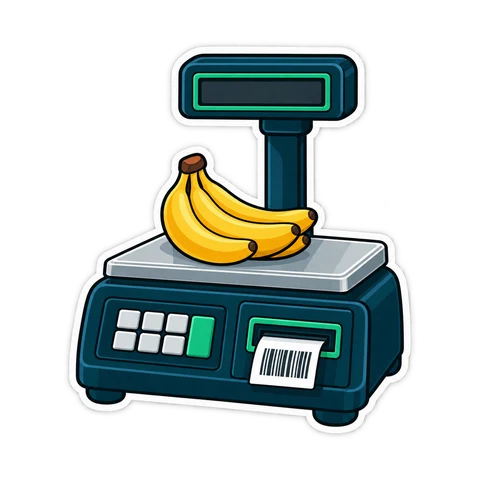
At a busy till, every second goes either to scanning or to typing. A shop where every product scans the first time keeps the queue moving; a shop where the cashier types "tomato" and scrolls a list loses minutes every hour, and makes more mistakes. This guide explains the three kinds of barcode a grocery, minimarket or bakery meets, and how to make each one work.
| Kind | Who creates it | What it looks like | Typical products |
|---|---|---|---|
| Manufacturer barcode | The brand owner, through GS1 | 13 digits (EAN-13), sometimes 12 (UPC-A) | Water, rice, biscuits, detergent |
| In-store code | You, the shop | Starts with 2, or a Code 128 label | Own-packed dates, nuts, local bread, accessories |
| Scale label | Your label scale, at weighing | EAN-13 starting with 2, carrying weight or price | Vegetables, fruit, cheese, olives, meat |
Most shops need all three. Treat them differently and the till stays fast.
The barcode on a packet is usually EAN-13: thirteen digits, the last one a check digit calculated from the other twelve. Brand owners get their numbers from GS1, the global standards body; in the UAE that is GS1 UAE. The first digits are the prefix of the GS1 office that issued the number. They tell you nothing reliable about where the product was made, so do not use them to sort products by country.
A few things trip up new shops:
When a product has no barcode — dates you pack yourself, bread from a local bakery, a phone cable without a label — you create one. GS1 reserves numbers beginning with 2 (prefixes 20 to 29) for in-store and restricted use. A code in that range will never collide with a real manufacturer barcode, today or next year.
Never invent a code that starts with any other digit. A random 13-digit number may already belong to a product your supplier starts delivering next month, and then one scan rings up the wrong item.
Two practical rules: keep one prefix for your own packed products and a different one for scale labels, so the till knows which codes carry a weight or price; and write the split down for whoever sets up products after you. Code 128 is also common for in-store labels printed on a label printer, and any ordinary scanner reads it.
A label scale weighs the item, looks up its price per kilo and prints a sticker. The barcode on that sticker holds the item number and either the weight or the price. A common layout looks like this:
| Digits | Meaning | Example |
|---|---|---|
| 1-2 | Prefix from the 2 range | 21 |
| 3-7 | Item number (PLU) on the scale | 00345 = tomatoes |
| 8-12 | Weight in grams, or price in fils | 01250 |
| 13 | Check digit | calculated |
A worked example, not a statistic: tomatoes cost AED 6.00 per kg and a bag weighs 1.250 kg. With a weight label, the till reads 01250 as 1.250 kg and charges 1.250 × 6.00 = AED 7.50. With a price label, the scale prints 00750 and the till charges AED 7.50 directly.
Layouts differ between scale makers: some use four digits for the item and six for the value, some add a price check digit. Before go-live, print one test label, read the layout in the scale's manual and set the same layout at the till. Scan five labels of different weights and check every total.
Weight or price? With weight labels the till's price wins; with price labels the scale's price wins. Either works, but if you change the price of tomatoes, change it on the scale and the till on the same morning.
The sale screen has one search box that takes a name or a barcode, and an unknown pack can be added and sold on the spot (with a manager's approval if the cashier lacks that right). A UAE product catalogue fills in the name when you scan a pack for the first time. Products without a barcode can get a generated in-store code that never clashes with real ones, printed as labels on a label printer or the receipt printer. Scale barcodes carrying a price or a weight are read at the till, products can be sold by kg or g, packs get their own barcodes, and a duplicate barcode is refused. The products features and the hardware page list the details.
Do I need to buy barcodes from GS1 for my own products? Only if they will be sold in other shops. For products sold only in your own shop, in-store codes starting with 2 are what the range is for.
Can a cheap scanner read scale labels? Yes. A scale label is an ordinary EAN-13; the till, not the scanner, decides what the digits mean.
What if a label will not scan? Search by name, sell the item, and set it aside to relabel. Do not let cashiers type the digits.
Want to see scanning and scale labels on real products? Try the live demo or start a 14-day trial and scan a few of your own packs.
This article is general information as of its date, not legal or tax advice. Rules change; check the official source or ask your accountant before acting.
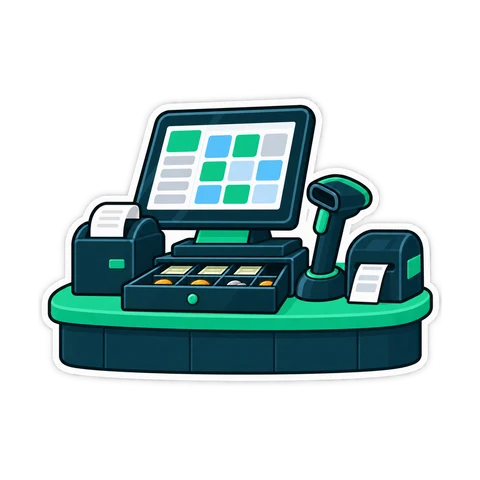
What a UAE shop or café really needs at the till: a 58 or 80 mm thermal printer, a cash drawer that opens from the printer, the right scanner, and what to skip.
What a baqala or minimarket needs from a point of sale, from scanning speed and scale labels to monthly accounts, expiry dates and VAT, plus questions to ask first.
How to plan and run a stock-take in a small UAE shop in one evening, with zones, two-person teams, recounts and variance valued at cost, so the numbers can be trusted.
CreekPOS Online free for 14 days, or the program on your PC for 7 days. Every feature, no card.
Search by feature, screen or task. Open a guide and share its link with your team.