

Reading your daily reports in ten minutes
A ten-minute closing routine for a small UAE shop or café: sales, margin, average receipt, the drawer, discounts and stock alerts, in the same order every day.
The second branch is where a shop stops being run from memory. Stock splits in two, staff move between places, and the owner can no longer stand behind both counters. What to set up before opening day.

The first shop is run by the owner's eyes: you know what sold, who was late, which shelf is empty. The second branch breaks that. You cannot be in both places, the stock you thought you had is in the other shop, and the numbers you used to keep in your head now need to be written somewhere both shops can see.
Here is what changes, and what to set up before the second shop opens.
Decide first what is shared and what is separate:
A system where each branch is a separate shop forces you to maintain two product lists and add up two sets of reports by hand. Avoid it.
Each branch needs its own stock count. When the new branch opens, receive its opening stock as a delivery, with costs, rather than copying numbers. From then on:
Each branch prints its own name, address and phone on the receipt. If the branches are registered under one VAT registration, the TRN is the same; your accountant will tell you. Move the tills you already have, or add one for the new counter.
The useful questions now are comparisons:
Look at them weekly. A branch that sells the same as the other but earns less usually has a price, a waste or a staff problem, not a sales problem.
The owner's day changes most. You need each branch's sales, the cash in each drawer and anything unusual — a void, a big discount, a till that went offline during opening hours — on your phone, with the branch named. Owner alerts and a daily summary per branch replace the visits you no longer have time for.
Branches come with the Chain plan of CreekPOS Online (two branches included; each extra branch is added to the monthly price, see pricing). In Settings → Branches you add a branch, move a till to it, limit a user to one branch and block negative stock per branch; each branch has its own stock, Inventory → Transfers moves stock between them, Today shows one branch or all, and Reports → Branches report compares them. See branches in the manual.
This article is general information as of its date, not legal or tax advice. Rules change; check the official source or ask your accountant before acting.
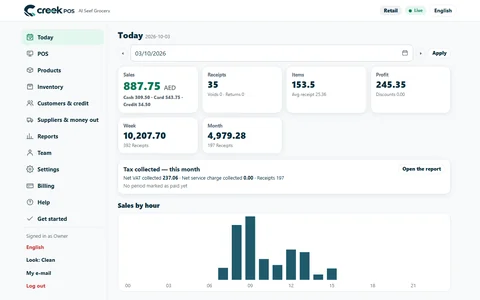
A ten-minute closing routine for a small UAE shop or café: sales, margin, average receipt, the drawer, discounts and stock alerts, in the same order every day.
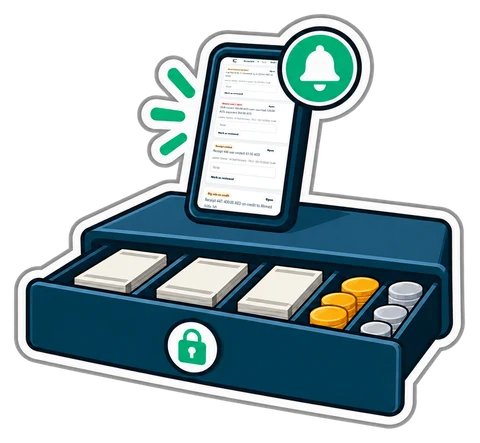
Most till losses are small, repeated and invisible on the day. A routine of personal logins, discount caps, counted shifts and alerts on your phone makes them visible, without treating your staff as suspects.

A month-end pack for a small UAE shop or café: which reports and documents your accountant needs, what to reconcile first, and a timeline that keeps VAT returns calm.
CreekPOS Online free for 14 days, or the program on your PC for 7 days. Every feature, no card.
Search by feature, screen or task. Open a guide and share its link with your team.