

Choosing a POS for a cafeteria, café or restaurant in the UAE
What a UAE cafeteria, café or small restaurant needs from a till, from fast counter orders and add-ons to kitchen tickets, tables, split bills and food cost.
A QR code on the table lets guests order, call the waiter and ask for the bill. What that really changes in a UAE café, what stays the same, and how to start.
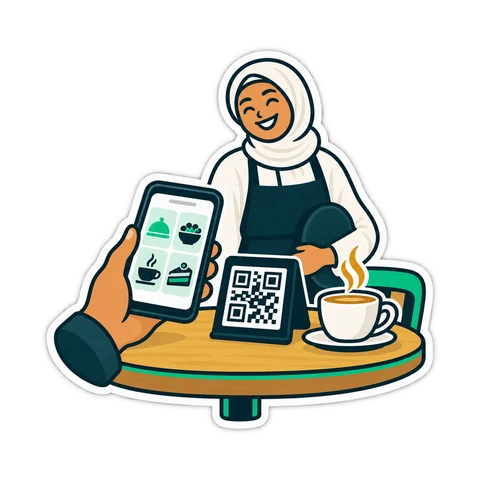
A small code on each table, a guest's phone camera, and the menu opens in the browser. The guest picks a karak and two sandwiches, sends the order, and the counter sees it. That is table QR ordering, and for many cafés it is the biggest change to service since the card terminal. It is not magic, though: some jobs get faster, some stay exactly as they were, and a few new ones appear.
The guest scans a code printed for their table. A menu page opens without installing an app. They choose items, sizes and add-ons, and send the order. Depending on the system, the same page can also call the waiter or ask for the bill.
On the café side, the order arrives at the till or a tablet with the table number already attached. A member of staff confirms it, and only then does it go to the kitchen or the barista. That confirmation step matters, and we come back to it below.
Order-taking time. A waiter who walks to a table, waits for a family to decide and walks back spends real minutes per order. A worked example, not a statistic: a 12-table café takes 60 table orders on a busy evening; at 2 minutes of waiter time each, that is two hours of walking and waiting. If half the guests order by QR, roughly an hour goes back to serving and clearing.
Misheard orders. At a noisy counter "two karak, one less sugar" becomes three karak. A written order from the guest removes that whole class of mistake.
Language. Guests read the menu themselves, at their own pace, and staff no longer need to explain every dish in four languages.
Peaks. During the iftar rush in Ramadan or a Friday breakfast, every table wants to order at the same moment. QR ordering lets them all do it at once instead of queuing for one waiter.
Add-ons get chosen. Extra cheese, a larger size or a side is listed on the page with its price. Guests who see the option choose it more often than guests who must think to ask.
| Job | Waiter only | With table QR |
|---|---|---|
| Taking the order | Waiter at the table | Guest on their phone, staff confirm |
| Kitchen work | Same | Same, but orders arrive in bursts |
| Serving and clearing | Waiter | Waiter |
| Payment | Cash or card at table or counter | Cash or card at table or counter |
| Guests who prefer to talk | Waiter | Still waiter |
| Keeping the menu correct | Waiter says "sorry, finished" | Menu must hide sold-out items |
You still need staff. Food has to be carried, tables wiped, questions answered. QR ordering frees time; it does not remove the floor team.
The kitchen becomes the bottleneck. When twelve tables can order in the same minute, a kitchen that used to receive orders one by one gets a wave. Watch preparation times in the first weeks.
Payment usually stays where it is. The guest asks for the bill from the phone, but the money is still taken in cash or on the bank's card terminal, as before.
Not every guest wants it. Older guests, families and regulars often prefer to order from a person. Keep the waiter available; the QR is an option, not a wall.
An order that goes straight from a phone to the grill sounds efficient until a child presses "send" six times, a guest scans the code at the wrong table, or someone orders and leaves. A quick staff confirmation catches these before any food is made. It also gives the counter a moment to say "the mixed grill takes 25 minutes tonight" before the guest waits.
On the CreekPOS Online Restaurant and Chain plans, each table can have a QR code where guests order, call the waiter or ask for the bill, and staff confirm before anything reaches the kitchen. The same plans include an online menu page. Confirmed orders go to the kitchen display (New, Preparing, Ready) or the kitchen ticket printer with sizes and add-ons shown, and the bill can be split by items or in parts at the end. The restaurant features and plans have the details.
Do guests need to install an app? No. The phone camera opens the menu as a web page.
Do I need guest Wi-Fi? It helps, but most guests use their own mobile data. A strong, free Wi-Fi with the password on the table card removes the excuse.
Can guests pay through the QR? Not in the setup described here: the bill is requested from the phone and paid in cash or on the card terminal.
Want to see a café till in action first? Open the café demo or start a 14-day trial and try it at one table.
This article is general information as of its date, not legal or tax advice. Rules change; check the official source or ask your accountant before acting.
What a UAE cafeteria, café or small restaurant needs from a till, from fast counter orders and add-ons to kitchen tickets, tables, split bills and food cost.
From the trade licence and food approvals to the menu, equipment, VAT and the first week of service: a practical checklist for opening a cafeteria in the UAE.
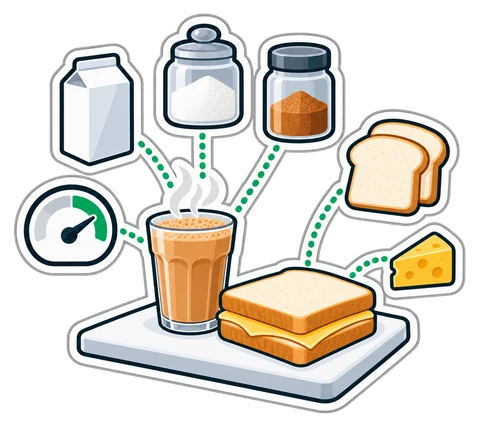
How to cost a recipe, why yield and VAT change the answer, and a weekly routine that shows where food money goes in a UAE café, cafeteria or restaurant.
CreekPOS Online free for 14 days, or the program on your PC for 7 days. Every feature, no card.
Search by feature, screen or task. Open a guide and share its link with your team.