

Choosing a POS for a cafeteria, café or restaurant in the UAE
What a UAE cafeteria, café or small restaurant needs from a till, from fast counter orders and add-ons to kitchen tickets, tables, split bills and food cost.
From the trade licence and food approvals to the menu, equipment, VAT and the first week of service: a practical checklist for opening a cafeteria in the UAE.
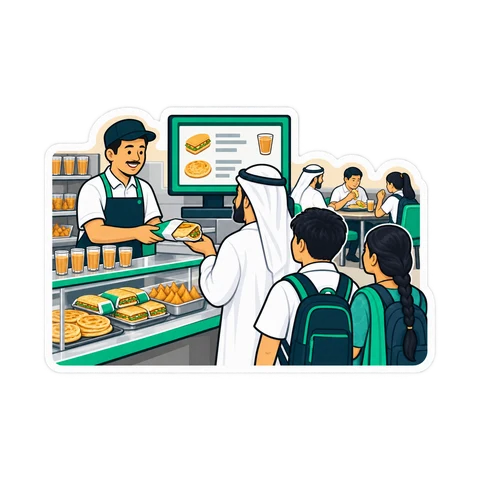
Karak, fresh juice, a toasted sandwich and a quick chat at the counter: the cafeteria is one of the most common small food businesses in the UAE, and one of the most competitive. Opening one means paperwork, a kitchen, a menu and a till, roughly in that order. This checklist walks through each step; it is general information, and the exact rules differ between emirates, so confirm every approval with your emirate's economic department and municipality.
Most of the waiting happens here, so start early.
A short menu sells faster and wastes less. Many cafeterias do well with 25 to 40 items: hot drinks, juices, sandwiches, a few breakfast plates. Cost every item before you set its price.
A worked example, not a statistic. Prices include 5% VAT, so divide by 1.05 to get your share before calculating food cost:
| Item | Menu price | Price without VAT | Ingredient cost | Food cost |
|---|---|---|---|---|
| Karak (cup) | AED 2.00 | AED 1.90 | AED 0.70 | 37% |
| Chicken sandwich | AED 8.00 | AED 7.62 | AED 3.20 | 42% |
| Fresh orange juice | AED 10.00 | AED 9.52 | AED 4.10 | 43% |
The sandwich and the juice earn more per sale, but keep less of each dirham than the karak. Know these numbers before you decide what to promote. Our food cost guide shows how to build recipes and track waste.
Kitchen and counter: tea and karak station, juicer, grill or sandwich press, fridge and freezer with a daily temperature log, stainless prep tables, hand-wash sink, plenty of storage for cups and bread.
The till: a PC or tablet, an 80 mm thermal receipt printer, a cash drawer, a kitchen ticket printer or kitchen screen, and a card terminal from your bank. Apply for the card terminal early; the bank needs your licence and it can take weeks.
Power and heat: sockets in the UAE are 220-240 V with UK-style plugs. Summer heat is hard on electronics and on thermal paper, so keep the till away from the grill and store paper rolls somewhere cool.
Run a soft opening for three to five days with a shorter menu. Count stock every evening, compare ingredient use with sales, and look at the busy hours before you fix staff shifts. If you open near Ramadan, plan for it separately: opening hours and peaks change completely, with the iftar rush in place of the lunch rush.
For a cafeteria, CreekPOS gives you a touch grid by category, sizes and add-ons printed on the receipt and the kitchen ticket, a kitchen display or ticket printer, and recipes that take ingredients off stock with each sale. VAT at 5% is included in prices and your TRN prints on every receipt. Shifts start with an opening float and close with a Z report, every cashier has their own account, and screens work in English, Arabic, Hindi and Urdu. See the restaurant features.
Do I need to register for VAT from day one? Only when you pass the mandatory threshold, or choose to register voluntarily. Ask your accountant, and keep checking your rolling 12-month sales.
How big should the first menu be? Smaller than you think. Start with what sells and costs well, then add.
Which till edition suits one cafeteria? A single counter that rarely needs remote access suits a desktop program; owners who want to check sales from the phone usually prefer an online one. Our which one page compares them.
Ready to try it on your own menu? Open the café demo or start a 14-day trial.
This article is general information as of its date, not legal or tax advice. Rules change; check the official source or ask your accountant before acting.

What a UAE cafeteria, café or small restaurant needs from a till, from fast counter orders and add-ons to kitchen tickets, tables, split bills and food cost.
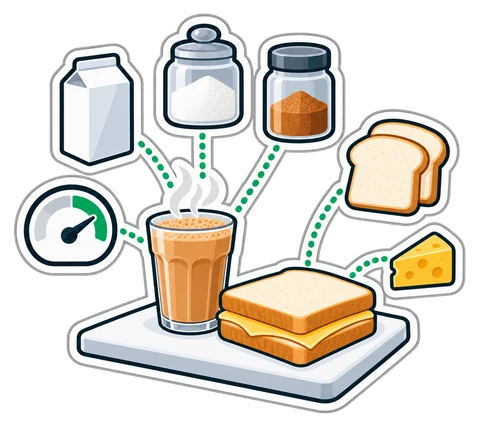
How to cost a recipe, why yield and VAT change the answer, and a weekly routine that shows where food money goes in a UAE café, cafeteria or restaurant.

When a UAE shop must register for VAT, what the TRN is for, how to price with 5% included and how a quarterly return is worked out, explained with plain examples.
CreekPOS Online free for 14 days, or the program on your PC for 7 days. Every feature, no card.
Search by feature, screen or task. Open a guide and share its link with your team.