

Choosing a POS for a cafeteria, café or restaurant in the UAE
What a UAE cafeteria, café or small restaurant needs from a till, from fast counter orders and add-ons to kitchen tickets, tables, split bills and food cost.
Printed menu boards go out of date the day a price changes. What a digital menu board and a "Preparing / Ready" screen should do, the hardware you actually need, and how to set them up in an afternoon.
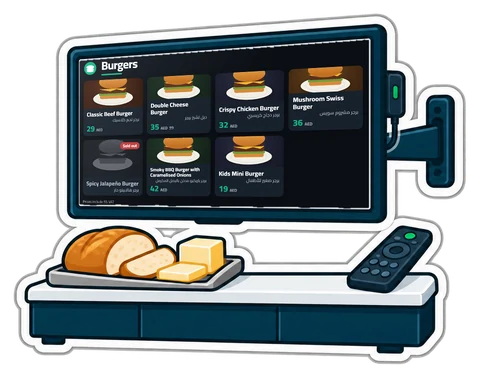
Walk into any busy quick-service counter and look up: a row of screens with the menu, the prices and today's offer, and one screen with order numbers moving from "Preparing" to "Ready". It looks like something only a chain can afford. It is not. Any café, cafeteria or juice bar with a TV and a browser can have the same.
A printed board is cheap once. Then the price of milk goes up, a dish runs out at 8 p.m., or you want a breakfast offer until 11:00. Each change is a reprint, a sticker over the old price, or a cashier saying "sorry, that one is finished" twenty times an evening. Wrong prices on the wall are also a VAT and consumer-protection question you do not want.
A digital board fixes that only if it reads from the same place as the till. If someone has to update the screens by hand, they will be wrong by Thursday.
The second screen is for the people already waiting. When an order is paid or reaches the kitchen, its number appears under Preparing. When the kitchen marks it done, it moves to Ready, large, with a chime. It disappears when collected or after a few minutes. Customers stop crowding the counter asking "is mine ready?", and the cashier stops shouting numbers. Show the receipt number, or only its last three digits; optionally a first name, never a phone number or a total.
Less than you think. The screens run in a web browser, so any of these works:
| Device | Notes |
|---|---|
| Fire TV or Android TV stick | The cheapest good option, plugged into the TV's HDMI port |
| Mini PC or an old laptop on HDMI | The smoothest, and the best for 4K |
| A smart TV's own browser | Usually fine; older built-in browsers can be slow |
| An old tablet on a stand | Enough for a small order screen at the counter |
Turn off the TV's own sleep or eco timer: a web page cannot stop the TV from switching itself off.
That is an afternoon, including mounting the stick.
Menu boards and the order screen are in CreekPOS Online on the Restaurant and Chain plans: Settings → Screens → Add a screen. A price or stock change at the till reaches the TVs within seconds, with no "publish" button. The order screen follows the kitchen screen, or the cashier's Ready button on the till's order board. See the restaurant features, the hardware page and the manual chapter.
This article is general information as of its date, not legal or tax advice. Rules change; check the official source or ask your accountant before acting.
What a UAE cafeteria, café or small restaurant needs from a till, from fast counter orders and add-ons to kitchen tickets, tables, split bills and food cost.
From the trade licence and food approvals to the menu, equipment, VAT and the first week of service: a practical checklist for opening a cafeteria in the UAE.
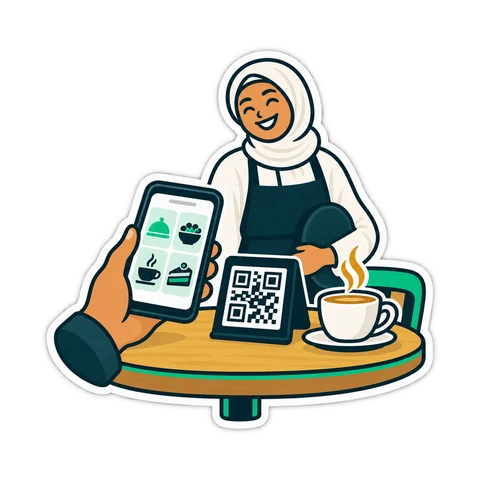
A QR code on the table lets guests order, call the waiter and ask for the bill. What that really changes in a UAE café, what stays the same, and how to start.
CreekPOS Online free for 14 days, or the program on your PC for 7 days. Every feature, no card.
Search by feature, screen or task. Open a guide and share its link with your team.