

Monthly accounts and regulars: credit without the notebook
The baqala monthly account keeps regulars loyal, but a notebook loses money. How to set credit rules and limits, record sales and repayments, and collect at month end.
Shops that take something in and give it back later live on tickets, deposits and "is it ready?". How to number jobs, tag pieces, take deposits honestly and stop uncollected items from piling up.
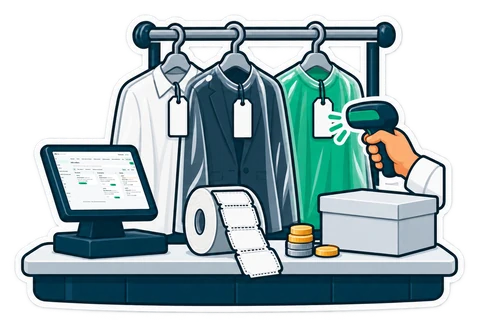
A grocery sells and forgets. A laundry, a tailor or a repair counter takes something in, keeps it for days, and hands it back. That middle part, the days in between, is where money and goodwill are lost: a missing shirt, a deposit nobody can find, a customer who calls four times to ask if the abaya is ready.
A job needs one number the customer and the shop both use, printed on the customer's ticket and on the shop copy. In a laundry, every piece also needs a tag with that number: J0042/1, J0042/2 … A scannable tag means the person at the counter finds the job in a second, even when the customer has lost the ticket.
The ticket should say what you received (pieces, notes such as "coffee stain on the sleeve"), when it is due, what was paid and what is left, and your terms.
A deposit is not a sale yet. If it is counted as one, your daily sales look better than they are, and the VAT is in the wrong month. Keep deposits as money held for the customer: shown on the shift report on their own line, used first when the customer collects, refundable by a manager if the order is cancelled. Ask your accountant how your deposits should be treated for VAT.
Every job moves through a few steps: Received → In progress → Ready → Collected. Tailoring adds a Fitting; repairs add Waiting for approval and Waiting for parts. A board with these columns, filtered by "due today" and "overdue", replaces the notebook and the shouting across the shop.
When a job is ready, put it on a shelf (B4) and tell the customer: an e-mail, or a WhatsApp message the cashier sends from the shop's phone in one tap. A tracking page behind the QR code on the ticket answers "is it ready?" before the customer calls.
When the customer comes back, collecting is an ordinary sale at the till: the deposit pays first, the rest is paid in cash or by card, and the normal tax invoice prints. Pieces can be collected a few at a time.
For a tailor, the most valuable thing you hold is the customer's measurement set. Keep it on the customer ("Kandura 2026"), in cm or inches, and the next order starts from it. For repairs, record the device, the serial or IMEI, the fault and what was left with it, and never write down the passcode. An estimate waits for the customer's yes, and the answer is recorded.
Every laundry has a rail of things nobody collected. Once a month, list the jobs ready but not collected for 30, 60 and 90 days, call those customers, and apply the terms printed on your ticket.
Job orders are in CreekPOS Online from the Retail plan: Settings → Job orders, with templates for laundry, tailoring, repairs and general jobs. Taking a job and printing its ticket and tags works offline on the till app. See the laundry, tailoring and repair shop pages, and the manual chapter.
This article is general information as of its date, not legal or tax advice. Rules change; check the official source or ask your accountant before acting.
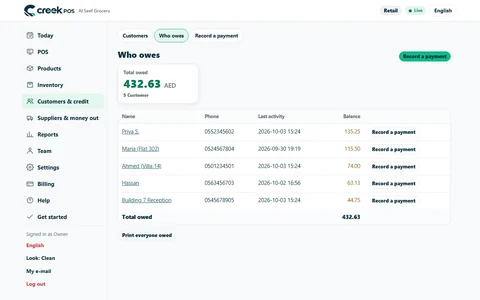
The baqala monthly account keeps regulars loyal, but a notebook loses money. How to set credit rules and limits, record sales and repayments, and collect at month end.
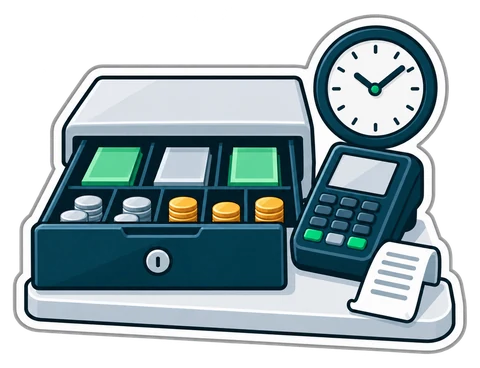
A shift routine that makes the cash drawer and the card terminal agree with the till every night. Opening float, cash in and out, the Z report and a worked drawer count.
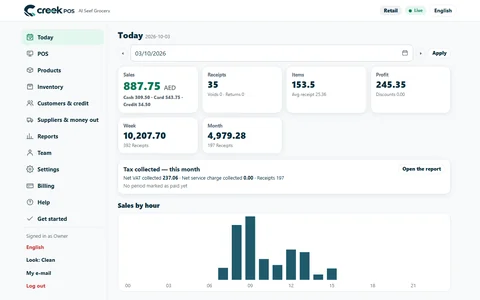
A ten-minute closing routine for a small UAE shop or café: sales, margin, average receipt, the drawer, discounts and stock alerts, in the same order every day.
CreekPOS Online free for 14 days, or the program on your PC for 7 days. Every feature, no card.
Search by feature, screen or task. Open a guide and share its link with your team.