

creekpos · SaaS / Online
Kitchen progress, service timing and cleaning · SaaS / Online
This guide uses fictional training data. Available controls depend on your enabled features, plan and permissions.
Prepared against the tested 13 October 2026 build; check your deployed build before following a new control.
Who can use this
Waiter / kitchen / cashier
Required tools
Tables, kitchen and service lifecycle. Requires the appropriate enabled features and entitlement; this guide does not add plan inclusions.
Before you begin
If a control is absent, check role, branch, enabled features and entitlement. If an order or price changed, refresh and review again. Do not repeat an uncertain financial action with a new request.
Steps
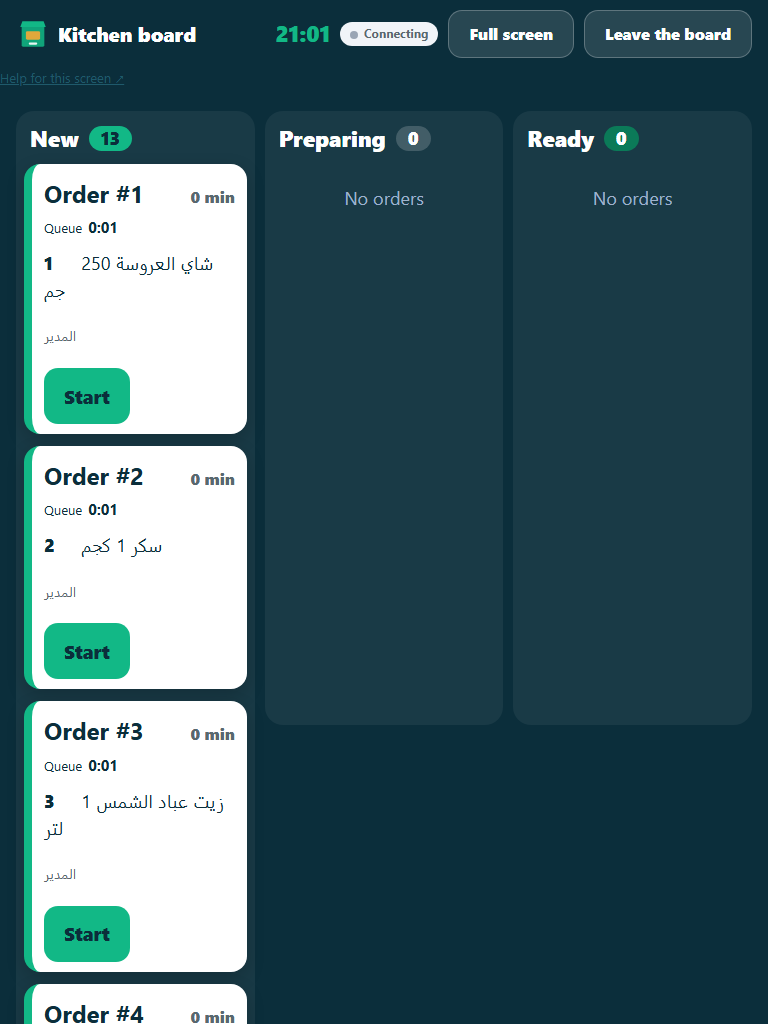
- A chef opens their kitchen workspace and claims work for the appropriate station. Record Start, pause/resume with a reason, Ready and any rework or waste accurately.
- A ready kitchen item alerts the assigned waiter. The waiter claims ready service and marks Served only after handing it to diners; Ready and Served are different events.
- Review the order/visit timeline for immutable timestamps, actors and reasons. Compare similar stations and preparation types rather than ranking staff on incomparable work.
- After final settlement and checkout, the table requires cleaning. Claim cleaning and mark it complete before the next visit. Settling one guest share does not close the visit for the remaining diners.
Check the result
Review the saved record and its audit/stock/payment state before continuing. A preview, queued request or accepted send is not proof of completed delivery or settlement.
Edition differences and limits
Classic Desktop kitchen tickets and held orders are separate from online immutable visit/service events. Do not claim the browser cleaning roster or staff performance dashboard exists in the native program. A cloud-connected restaurant may use the online kitchen and waiter workspaces alongside its till.