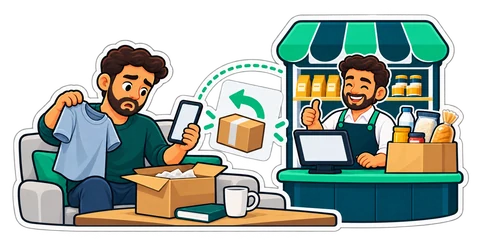
The shirt is the wrong size and the shop's phone is busy. From the receipt page the customer asks for a return or sends a question; the till's Customer requests inbox gets it, and staff decide.
Imagine a clothes shop in Karama on a Saturday evening. A mother bought two school shirts in the afternoon; at home, one is the wrong size. She calls the shop, but the phone rings out in the rush. She does not know whether they will change it, whether she needs the receipt, or whether it is worth the drive back through the traffic.
On the shop's side, the same story looks like a missed call, then a customer at the counter on Sunday holding a bag, and a cashier who has to find the receipt and ask the manager.
The request starts from the receipt page
When the cashier shares a receipt by WhatsApp from the Receipts page, the message carries a link to the customer's receipt page (the shop needs its online address, Settings → Online). Under the receipt, the customer finds two forms. No account, no app, no login: the link is enough.
Request a return:
- Pick the lines and the quantities to return. Only what is still returnable is offered: what was bought, minus anything already returned.
- Choose a reason: wrong item, damaged, not as described, changed my mind, or other.
- Add a few words ("Size 8 is too small, I need size 10").
- Optionally add a photo, useful for anything damaged.
- Optionally leave a phone number, for an answer on WhatsApp.
Ask a question: a short message about the receipt, up to 500 characters. "Do you have this shirt in size 10?" or "Was the VAT on this receipt included?".
The customer sees the state of the request on the same page: waiting for the shop, accepted (bring the items to the shop), returned, declined with the reason, or answered with the shop's reply.
The till's Customer requests inbox
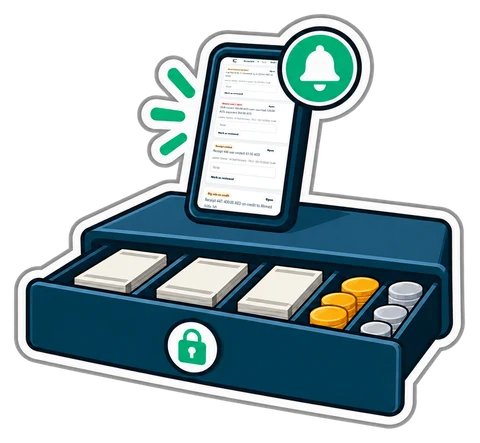
On the till's Sell page, a Customer requests badge shows how many requests are waiting. Open it and each request is there with the customer's words, the lines, the reason, and the photo if there is one. For each one, staff can:
- Accept and make the return: the receipt's normal return form opens with the lines already filled in. The return itself is made as usual, under the cashier's usual rights, and the customer's page then says "returned".
- Decline, with a reason the customer reads ("Worn items cannot be returned").
- Reply, with a few words. When the customer left a number, Reply on WhatsApp opens WhatsApp with the reply ready to send.
A cashier can read requests and reply; accepting or declining a return needs the returns right, as at the counter.
The return window
Return requests are accepted within the shop's return window: 14 days after the sale by default. Change it in Settings → Shop under Return window (days), anywhere from 1 to 365. After the window, the receipt page says that the window has passed, and the customer can still ask a question. Questions have no window.
The same settings switch the return form and the question box on or off.
Nothing is refunded without staff
A request is a request, not a refund. The customer cannot return anything by themselves: a person at the shop accepts it, the items come back to the counter, and the return is made at the till as every other return. The money moves only then, under the rights you already gave your staff.
A clear returns policy helps
The receipt page makes asking easy, so make the answer easy too:
- Write the policy down and print it in the receipt's footer: the days, the condition of the items, whether you refund or exchange.
- Set the window to match the policy, so the page never accepts a request your policy refuses.
- Answer within the day. A declined request with a clear reason is better than silence.
- Use the photo. A picture of the damage before the customer drives over saves a trip for both of you.
Good to know
- One open return request and one open question per receipt at a time; once it is answered or closed, the customer can send another.
- The phone number is only what the customer typed, shown to staff only. The photo is shown to staff only.
- Requests are kept for 180 days, and the customer can remove their own requests from the page.
- CreekPOS sends no e-mail or WhatsApp by itself: staff answer on the page, or on WhatsApp from the shop's phone.
- The till's badge updates by itself; it does not beep.
- The desktop program has no inbox: the receipt page belongs to CreekPOS Online. The receipt page and the requests are on every online plan.
See returns and questions on the e-receipt page.
This article is general information as of its date, not legal or tax advice. Rules change; check the official source or ask your accountant before acting.