

Menu boards and an order-ready screen on any TV
Printed menu boards go out of date the day a price changes. What a digital menu board and a "Preparing / Ready" screen should do, the hardware you actually need, and how to set them up in an afternoon.
Available now in CreekPOS Online
A menu board can say thank you too. Between the menu pages, the café TV shows the team's top three sellers of the day, the week or the month, with medals and first names, without turning the shift into a contest.
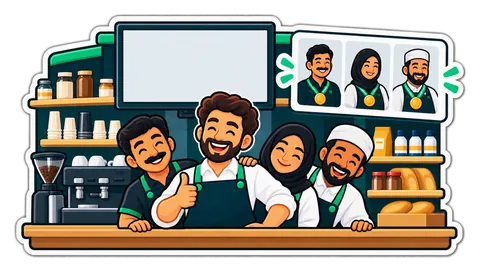
Imagine a karak café in Deira on a Friday evening. Reshma takes most of the orders at the till, Anwar makes the tea and still jumps on the second till when the queue backs up, and Joy covers the late shift. The owner sees who carried the evening, but rarely says so in front of everyone. A thank-you that nobody hears is easy to forget.
The TV above the counter already shows the menu and the offers all day. It can say thank you too.
Between the menu pages, a menu board can show a short slide: Top sellers this week, a podium with the top three of the team, a gold, a silver and a bronze medal, and a line saying "Thank you, team!" with a little confetti. The first place stands a step higher in the middle, the second and third on either side. On a TV mounted upright, the three are stacked as rows instead.
For each person the slide shows:
You choose the period for each screen: today, this week or this month. The week starts on Monday, as the working week does in the Emirates. The slide speaks the screen's language, and both languages when the screen shows two together.
A sales ranking on a public wall can turn sour quickly. The slide is built to stay a thank-you:
The slide reads the sales each cashier already rings up at the till, so nobody fills anything in. It joins the board's rotation after the menu pages and the offer slides, for the same number of seconds per page as the rest of the screen.
To set it up:
Only a manager changes these settings. The slide stays off until you switch it on, screen by screen, so the TV in the seating area can thank the team while the one above the counter sticks to the menu.
See the team slide on the features page and the display screens chapter of the manual.
This article is general information as of its date, not legal or tax advice. Rules change; check the official source or ask your accountant before acting.
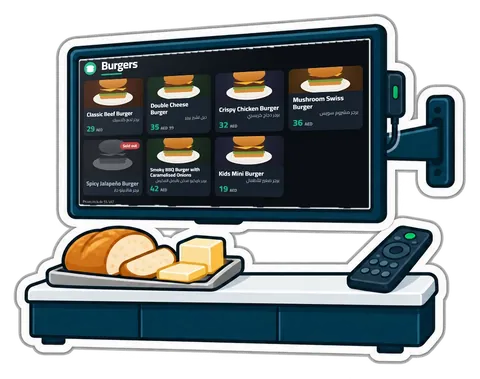
Printed menu boards go out of date the day a price changes. What a digital menu board and a "Preparing / Ready" screen should do, the hardware you actually need, and how to set them up in an afternoon.
A shop with six staff spends hours a month on a paper sheet, a commission calculation and a salary list. When clock-ins, sales and advances live in the same system, payroll becomes a review instead of a project.
What a UAE cafeteria, café or small restaurant needs from a till, from fast counter orders and add-ons to kitchen tickets, tables, split bills and food cost.
CreekPOS Online free for 14 days, or the program on your PC for 14 days. Every feature, no card.
Search by feature, screen or task. Open a guide and share its link with your team.