

Match a supplier product to your stock item with confidence
Use product identifiers, size and units to avoid receiving the right name into the wrong stock record.
Available now in CreekPOS Online
Combine merchandise, delivery and applicable tax to compare what you would actually pay for a restock.

Start with the number of base units, not just the number of boxes. Merchandise cost is unit price multiplied by quantity. Add the agreed delivery charge and applicable tax to estimate the amount due. Keep the components separate so you can compare two quotes that present fees differently. The market shows supplier-provided terms; your final agreement and invoice need to match them.
Consider twenty-four identical units. Quote A charges ten per unit and thirty for delivery: 270 before tax. Quote B charges nine per unit and sixty for delivery: 276 before tax. B has the lower product price but the higher pre-tax order total. These numbers are illustrative, not live offers or tax advice. If your quantity changes, calculate again; a fixed delivery charge has a different effect on a larger order.
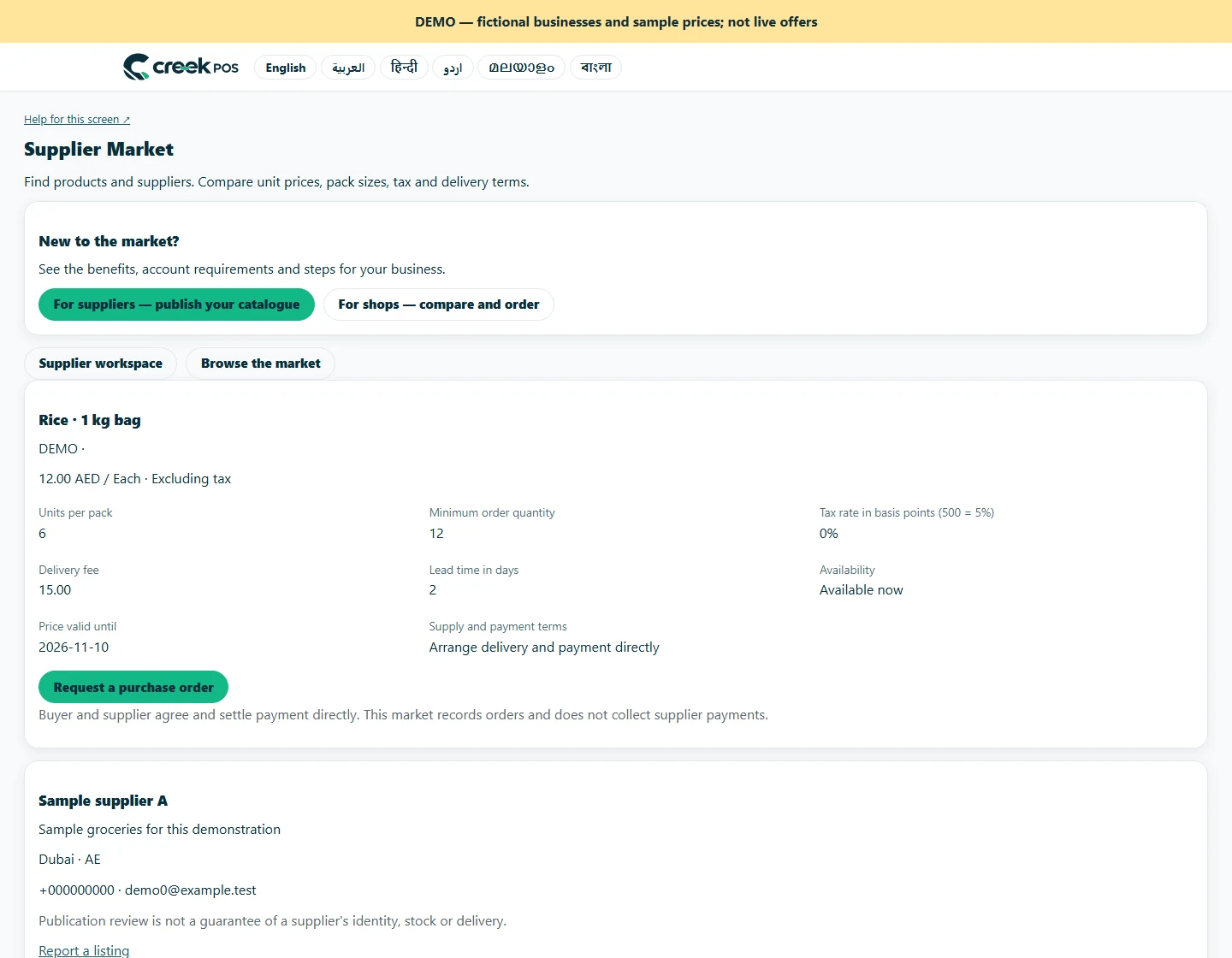
Check minimum quantity, pack multiples, validity and lead time before requesting. After supplier confirmation, the linked purchase order copies merchandise cost. Tax and delivery remain explicit in its note for supplier-invoice reconciliation, so do not mistake the merchandise subtotal for the entire amount payable. Compare the delivered quantity and invoice to the agreed request. Resolve unexplained differences directly with the supplier before treating the purchase as fully reconciled.
A brand account is required to list. Normal subscription and account-retention rules apply; this is not a permanent free supplier account.
Trade is billed per workspace in addition to the base plan. It is not included in the base trial. Other optional modules have their own charges. 129 AED / month · Retail+
Regular monthly prices before VAT. Promotional eligibility and the final total appear in Billing.
This article is general information as of its date, not legal or tax advice. Rules change; check the official source or ask your accountant before acting.
Use product identifiers, size and units to avoid receiving the right name into the wrong stock record.

Explain cartons, individual units and minimum quantities so buyers request the right amount and compare wholesale offers fairly.

Kitchen prep SLA telemetry, waiter Ready-Bell, table QR pay, PWA digital stamp & VIP cards, BOM stock variance, hourly timers, salon & laundry tools.
Two ways to use the same market. Choose the route that fits your business.

Shops can search published products by name, brand, category or GTIN. Your public business profile gives them a way to understand who supplies the goods.
For suppliers
Browse the public directory by product, brand, category or GTIN. Check the supplier profile and compare currency, unit and pack size together.
For shopsSearch by feature, screen or task. Open a guide and share its link with your team.