

creekpos · SaaS / Online
Products, variants, units and modifiers · SaaS / Online
This guide uses fictional training data. Available controls depend on your enabled features, plan and permissions.
Prepared against the tested 13 October 2026 build; check your deployed build before following a new control.
Who can use this
Catalogue manager
Required tools
Products and their enabled options. Requires the appropriate enabled features and entitlement; this guide does not add plan inclusions.
Before you begin
If a control is absent, check role, branch, enabled features and entitlement. If an order or price changed, refresh and review again. Do not repeat an uncertain financial action with a new request.
Steps
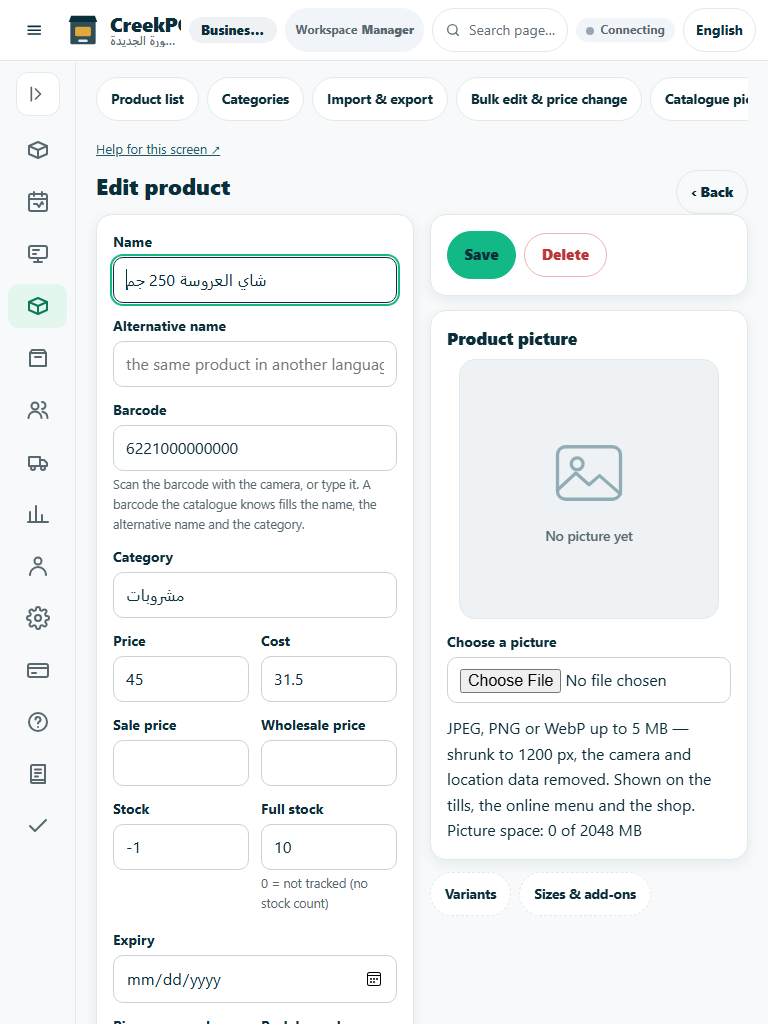
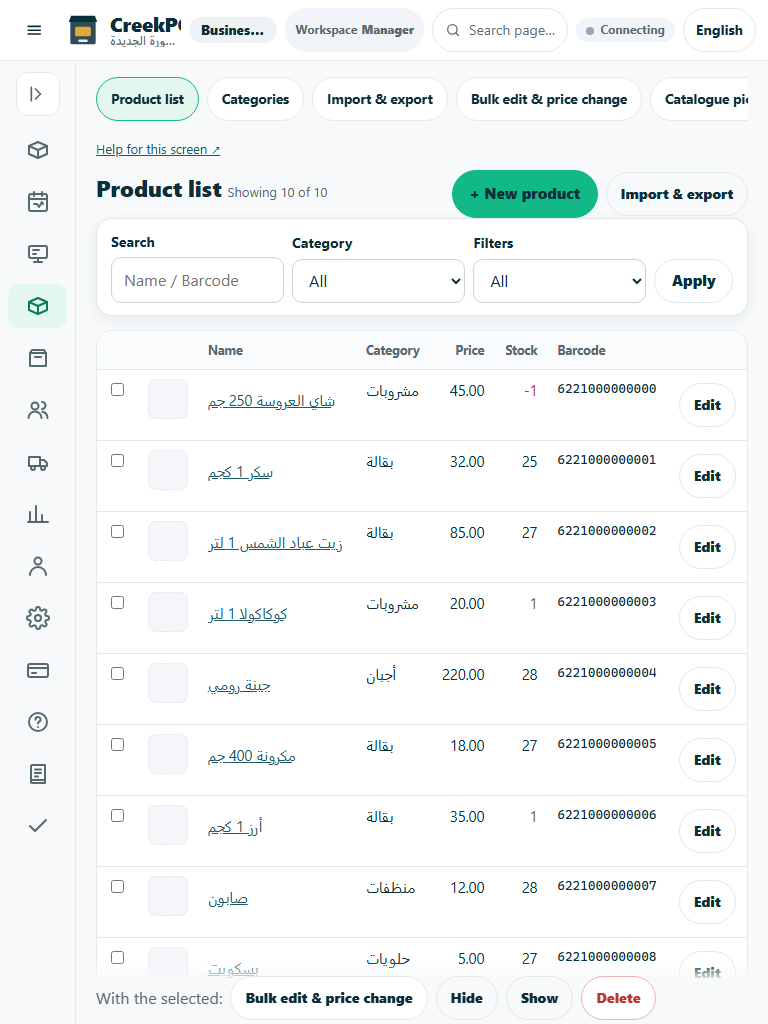
- Open Products with catalogue-management rights. Enter the complete product name and alternative-language name where needed.
- Set barcode, category, selling price, cost where authorized, unit and stock-tracking behavior. A barcode must identify the intended sellable product.
- For size/color products, configure variants and verify the exact sellable SKU. For food products, configure modifiers and distinguish ingredient-only products from products sold to customers.
- Save and test a small sale in a demo. Confirm the displayed name, price, modifier text and stock effect. A weighing product requires the supported till/device path or explicit manual weight entry.
Check the result
Review the saved record and its audit/stock/payment state before continuing. A preview, queued request or accepted send is not proof of completed delivery or settlement.
Edition differences and limits
Classic Desktop has native product editors, import tools, variants and optional weighing controls. Use the local catalogue and verify a real sample barcode. A browser product screenshot is not the native product editor.