

Restock without letting a low price become excess stock
Balance demand, existing stock, open purchase orders and supplier pack sizes before sending your next request.
Available now in CreekPOS Online
Record what actually arrived, keep the remaining quantity visible and reconcile the delivery against your purchase order.

Open the purchase order linked to the agreed market request. Check the supplier, product, ordered quantity and delivery paperwork. Count the goods that actually arrived and inspect their condition. If twenty-four units were ordered and eighteen arrived, do not record twenty-four to make the order look complete. Record the received amount and keep a clear note of any discrepancy.
The purchase-order view shows ordered, received and outstanding quantities. In the example, six units remain outstanding after receiving eighteen. Agree with the supplier whether they will follow in another delivery or whether the remaining order should be closed. Do not create a second full order simply to represent the missing units: that makes later receiving and supplier reconciliation harder.
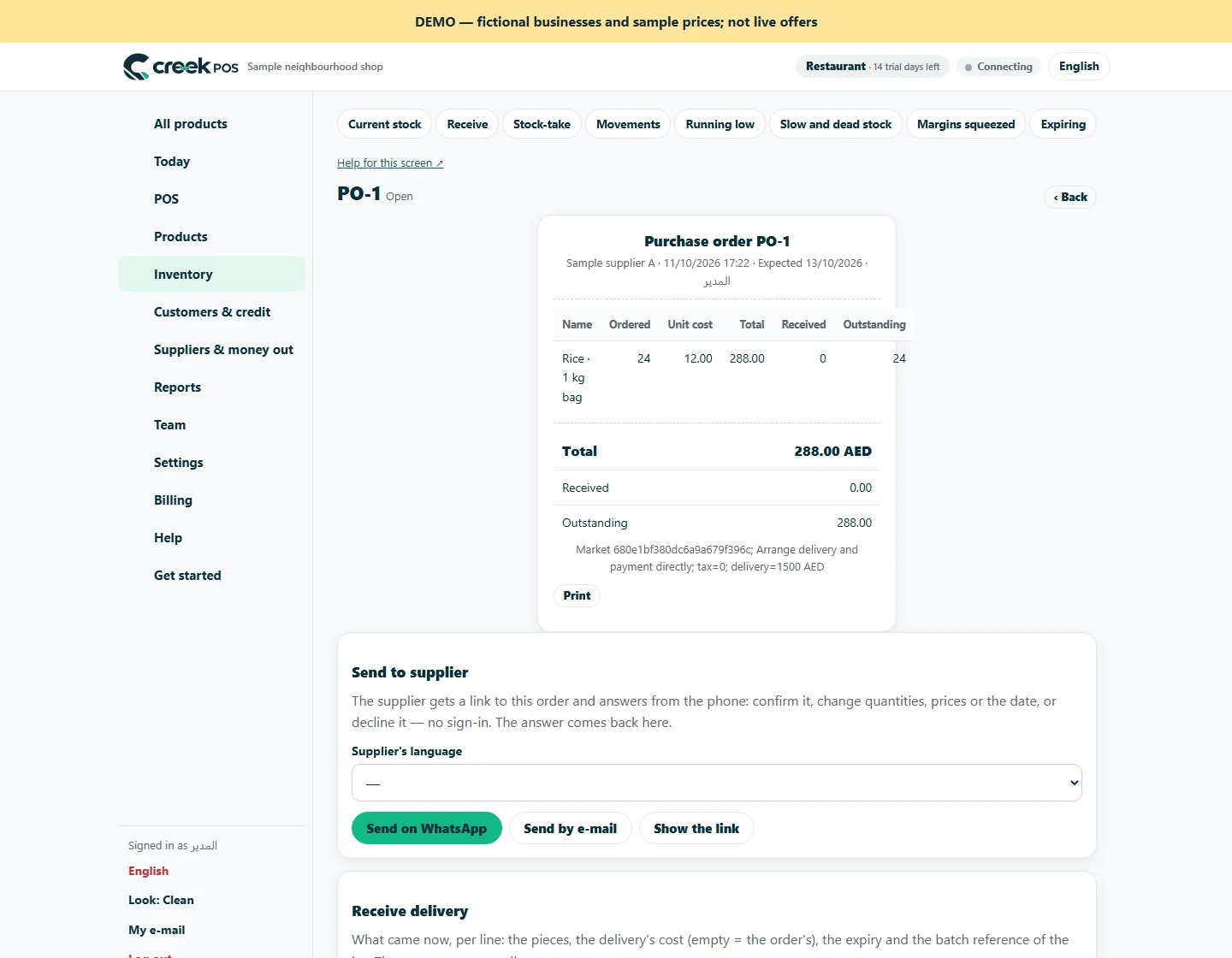
Check the cost, supplier invoice, applicable tax and delivery charges against the agreement. When lot or expiry tracking is enabled, record the relevant details during receiving. The market request holds the shared agreement and dispatch reference; the purchase order records receiving. They serve different purposes, and receiving is not automatically mirrored into the request. Keep the delivery paperwork so another employee can understand why an order is still open or why the remaining quantity was closed.
A brand account is required to list. Normal subscription and account-retention rules apply; this is not a permanent free supplier account.
Trade is billed per workspace in addition to the base plan. It is not included in the base trial. Other optional modules have their own charges. 129 AED / month · Retail+
Regular monthly prices before VAT. Promotional eligibility and the final total appear in Billing.
This article is general information as of its date, not legal or tax advice. Rules change; check the official source or ask your accountant before acting.
Balance demand, existing stock, open purchase orders and supplier pack sizes before sending your next request.

Write lead times, delivery charges and handover arrangements clearly before a shop places its request.

Kitchen prep SLA telemetry, waiter Ready-Bell, table QR pay, PWA digital stamp & VIP cards, BOM stock variance, hourly timers, salon & laundry tools.
Two ways to use the same market. Choose the route that fits your business.

Shops can search published products by name, brand, category or GTIN. Your public business profile gives them a way to understand who supplies the goods.
For suppliers
Browse the public directory by product, brand, category or GTIN. Check the supplier profile and compare currency, unit and pack size together.
For shopsSearch by feature, screen or task. Open a guide and share its link with your team.