

How to move your POS to a new PC
New counter PC? Move the CreekPOS program and its licence with a backup and a free release code, what to do if the old PC is dead, and the online way.
A phone or electronics repair counter needs tickets with IMEI, estimates the customer approves, parts from stock and a warranty. How to run it in CreekPOS.
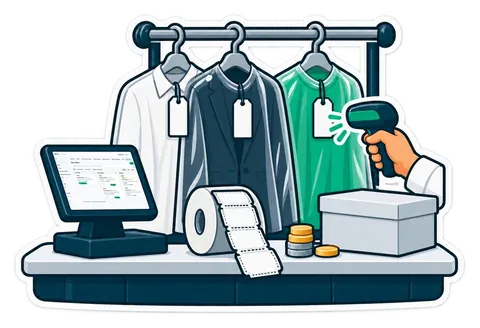
A phone repair counter needs more than a till: a ticket for every device with its IMEI and condition, an estimate the customer approves before you open it, parts taken from stock, and a warranty printed on the ticket. In CreekPOS Online these come with job orders and the Repair template, switched on in Settings, from Silver at AED 19 a month before VAT. The buy-once desktop program does not have job orders yet. Here is how one repair runs, what to log, and a checklist for the counter.
This is how a cracked screen moves through the shop with job orders switched on:
If the customer declines, the device goes back as it came and the job shows that it was declined.
| Field | Why it matters |
|---|---|
| Brand, model, serial or IMEI | Proves which device came in and which went out |
| The fault, in the customer's words | Stops "that's not what I asked for" at collection |
| Condition on arrival | Scratches and dents noted before you touch it |
| What was left with it | Charger, case, SIM tray, memory card |
| The estimate and the customer's answer | A yes or no on record before you order the part |
| Parts used | Comes off stock, so the shelf count stays right |
| Warranty days | Printed on the ticket the customer keeps |
Parts come off stock with each repair, so the stock is right without a separate count. Smart reorder lists what to buy today, per supplier, with the reason. You can load your parts list, prices and customers from Excel or CSV with any column names and a preview before anything changes, so you don't have to type them again.
Owner alerts send a void, a big discount, a short drawer or a sale below the listed price to your phone, from Gold. Each technician and cashier has their own account with rights given one at a time, and shifts close with a Z report. Business customers that send devices every month can pay on account, with reminders going out by themselves.
Job orders are part of CreekPOS Online from Silver, the lowest plan:
| Plan | Price before VAT | Registers |
|---|---|---|
| Retail Silver | AED 19 a month | 1 |
| Retail Gold | AED 33 a month | 2 |
| Retail Platinum | AED 49 a month | 4 |
| Retail Chain | AED 99 a month for 10 branches, then AED 10 per extra branch | Up to 30 |
| F&B Silver | AED 33 a month | 1 |
| F&B Gold | AED 66 a month | 2 |
| F&B Platinum | AED 99 a month | 4 |
| F&B Chain | AED 200 a month for 10 branches, then AED 20 per extra branch | Up to 30 |
Most repair counters start on Retail Silver. Retail Chain adds central products and prices and stock per branch when you run two or more shops. See the repair shop page and the pricing page. If you sell accessories as well as repairs, the free and trial-only POS checklist helps you compare any option you are looking at.
If you want to pay once and keep the program on your PC, job orders are not in the desktop program yet; they are in CreekPOS Online only. If you need card payments to go straight from the till to the bank's terminal, card payments are taken on your bank's terminal and recorded in CreekPOS; ask about integration with your bank. And if your online data must stay inside the UAE, CreekPOS Online stores it in the European Union (Milan, Italy). Read who CreekPOS is not for.
No. The repair form reminds the technician not to take the passcode, and it is never stored.
Job orders with the Repair template are in CreekPOS Online from Silver, at AED 19 a month before VAT.
Yes. The estimate puts the job on Waiting for approval, and the customer's answer is recorded on the job.
Yes. CreekPOS Online has a 14-day free trial with every feature and no card.
See a repair ticket on your own shop: start your 14-day trial.
This article is general information as of its date, not legal or tax advice. Rules change; check the official source or ask your accountant before acting.
New counter PC? Move the CreekPOS program and its licence with a backup and a free release code, what to do if the old PC is dead, and the online way.

A Mac at the counter? The CreekPOS program is Windows only, but CreekPOS Online sells in the browser on a Mac. What works and which plan.
Before a UAE shop picks a POS: where the sales data is stored, who backs it up, and how to take it with you. CreekPOS's answers for the program and Online.
CreekPOS Online free for 14 days, or the program on your PC for 14 days. Every feature, no card.
Search by feature, screen or task. Open a guide and share its link with your team.